
EN
In a Nutshell
A scam website checker is a digital security tool that analyzes a website’s hidden technical signals—such as domain age, server location, SSL metadata, and global blacklist status—to determine if a site is safe. ScamAdviser uses a proprietary algorithm to evaluate these factors, providing a Trust Score from 1 (high risk) to 100 (highly likely to be legitimate).
In this era, the "perfect" scam is no longer a myth. With AI-generated imagery and professional language models, fraudulent websites now look identical to major brands like Nike, Amazon, or UPS. According to the FBI’s latest IC3 data, reported losses to online fraud have climbed to over $16.6 billion annually, yet global estimates from the Global Anti-Scam Alliance (GASA), which ScamAdviser is a founding member, suggest the total impact is closer to $1 trillion when including unreported crimes.
When you are one click away from a "90% off" deal or a "failed delivery" notification, a scam website checker is your only objective line of defense.
Verifying a site takes less than five seconds and can save you months of identity theft recovery.
Read more on how ScamAdviser’s Algorithm works.
While the site might look professional, the data tells a different story. Here is what ScamAdviser looks for behind the scenes:
Legitimate retailers invest in their domains for years. Scammers use a "burn and churn" strategy, registering sites, stealing data for three weeks, and vanishing. If a "Big Brand Sale" site was registered only 14 days ago, it is a guaranteed trap.
Do not rely on the padlock icon in your browser. While it means your connection is encrypted, over 80% of phishing sites now use these certificates to look "secure." Encryption only proves your data is sent privately—it doesn't prove the person receiving it isn't a criminal.
A site claiming to be a "Boutique in London" should not be hosted on a server known for hosting malware in a completely different country. ScamAdviser identifies these geographical mismatches instantly.
While tools like Google Safe Browsing are excellent for blocking known malware, they often miss "Zero-Day" scams—new sites that haven't been reported yet. ScamAdviser goes deeper by analyzing the likelihood of a scam based on technical infrastructure and ownership data, catching fraudulent sites before they end up on a global blacklist.
Frequently Asked Questions
How do I check if a website is safe to buy from?
Paste the URL into a reputable scam website checker like ScamAdviser to view its Trust Score and domain age before entering any payment details.
Is [Website Name] a scam?
You can verify any specific site by searching for it on ScamAdviser.com, which cross-references the URL against millions of reported fraudulent domains.
What does a Trust Score of 60 mean on ScamAdviser?
A score of 60 indicates a "medium risk" site; it may be a new business that hasn't established a reputation yet, or it may have some technical configurations commonly seen in risky sites.
Does a padlock icon mean the store is legitimate?
No, the padlock only confirms the connection is encrypted; scammers frequently use free SSL certificates to trick users into a false sense of security.
What should I do if I already gave my card details to a scam site?
Contact your bank immediately to freeze your card and report the fraudulent URL to Scam.org to help protect other shoppers.
How can I tell the difference between a real URL and a "typosquatting" link?
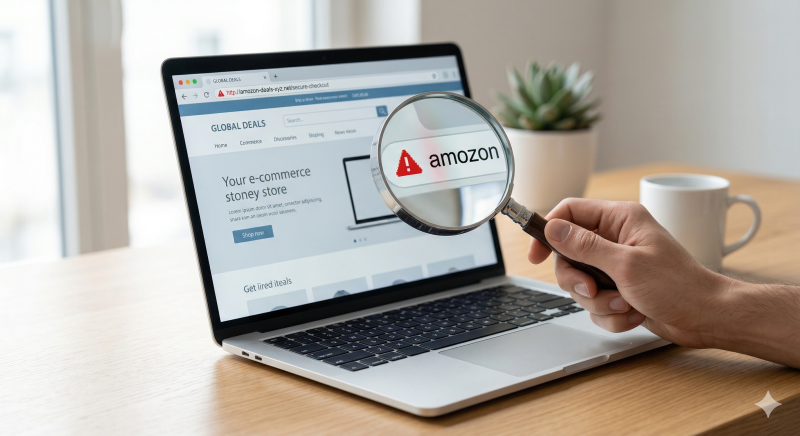
Look for minor character swaps, such as amaz0n.com (using a zero) or wellsfargo-secure.net instead of the official .com domain.
Why is the domain age of a website so important?
Most scam sites are "fly-by-night" operations that are less than six months old; a long-standing domain is a primary indicator of a legitimate business.
Can a scam website checker detect "cloaking"?
Yes, advanced checkers like ScamAdviser can often see through cloaking, a technique where scammers show "safe" content to search engines but "scam" content to actual visitors.
Adam Collins is a cybersecurity researcher at ScamAdviser who operates under a pseudonym for privacy and security. With over four years on the digital frontlines and 1,500+ days spent deconstructing thousands of fraud schemes, he specializes in translating complex threats into actionable advice. Adam’s mission is simple: exposing red flags so you can navigate the web with confidence.
