
EN
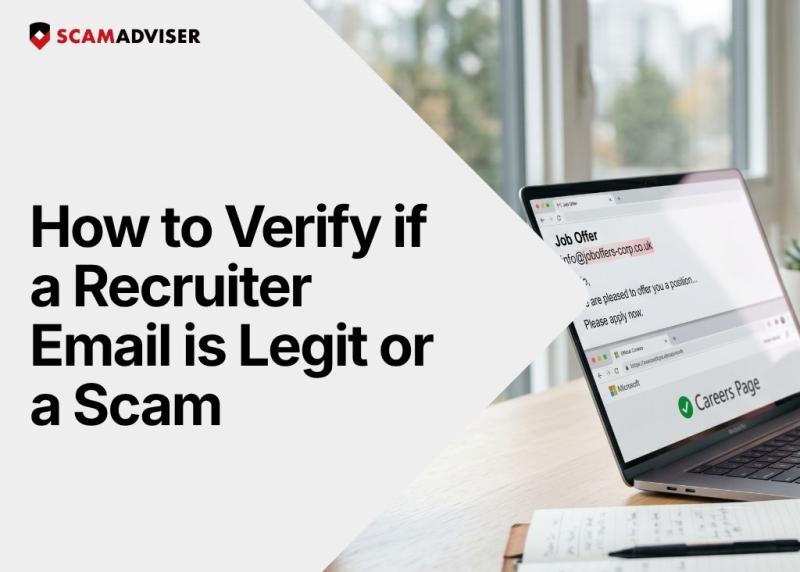
You open your inbox and see a job offer from a top-tier company, complete with your current job title and a salary bump. Scammers pull your work history directly from LinkedIn scraping to craft personalized emails that bypass your natural skepticism. They do not just blast generic spam anymore; they build targeted profiles to make you believe the offer is real. Knowing how to verify if a recruiter email is legitimate keeps you from handing over your personal data to a fraudster.
In a Nutshell
Recruiter email scams are increasing because scammers now use real company names, stolen data from breaches, and automation tools to look legitimate at scale. The massive demand for remote jobs gives them a desperate, willing audience. They scrape your profile, feed it into automated systems, and send thousands of highly targeted emails in minutes.
Fake recruiter emails work by impersonating real companies and funneling you toward phishing links disguised as job portals. Fraudsters often exploit legitimate infrastructure—like Google AppSheet abuse—to host fake application forms that steal your data. They use pre-filled personal details to build trust and route replies through "noreply" style senders so you cannot easily question a human.
A fake recruiter email usually looks like an urgent demand wrapped in an overly generous salary offer for minimal effort. The message pushes you to "apply now" or secure "limited interview spots" through suspicious external links. The tone swings wildly between highly personalized, using your exact location, and bizarrely generic, addressing you as "Dear Candidate."
You verify if a recruiter email is legitimate by systematically checking the sender's credentials, the company domain, and the provided links before taking any action. Keep this ten-step checklist handy every time an unexpected offer lands in your inbox:
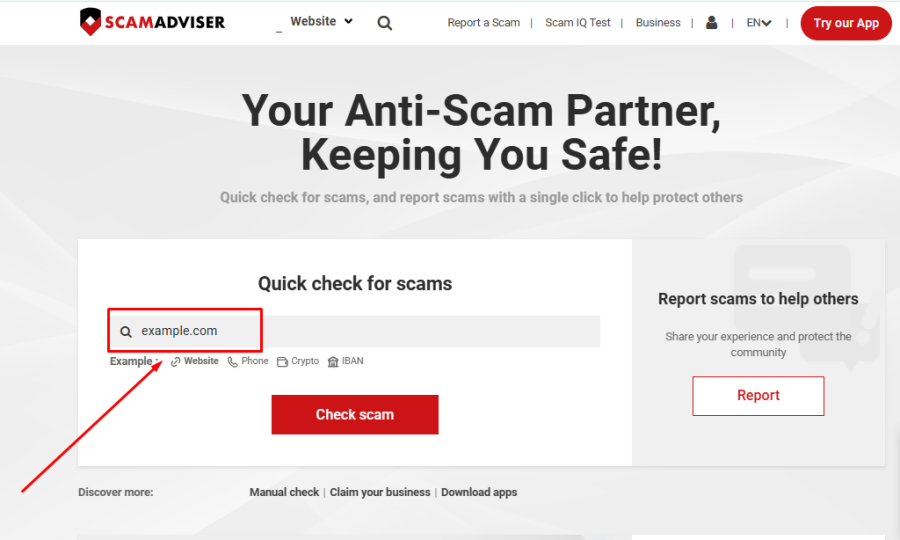
You use ScamAdviser to check a recruiter by pasting the suspicious application link directly into the search bar to analyze its trust score. Copy the URL from the email—without clicking it—and run it through the tool. ScamAdviser scans the domain age, owner details, and server location to expose newly created fake job portals.
You confirm a job is real without clicking the email link by opening a new browser tab and visiting the company's official website directly. Navigate straight to their careers page and search for the job title mentioned in the email. If the position does not exist on their actual site, the email is a fraud.
If you already clicked a suspicious link, you must immediately close the page, disconnect from the internet, and change the passwords for your critical accounts. Do not enter any more personal information into the site. Run a full malware scan on your device and monitor your bank accounts for unauthorized activity.
You report a recruiter scam by forwarding the email to the Federal Trade Commission at ReportFraud.ftc.gov and alerting the impersonated company. If the scam uses legitimate infrastructure, report the specific URL directly to the host, such as Google for AppSheet abuse.
You can read our article on: How Online Job Hunting Sites Are Turning Into Data Goldmines For Scammers
Learning how to verify if a recruiter email is legitimate protects your identity and your bank account. Scammers rely on your excitement for a new opportunity to override your common sense.
Verification always beats trust. Slowing down, inspecting URLs, and confirming details independently breaks the scammer's workflow.
They do not need to hack your computer—they just need you to want the job enough to stop asking questions.
Frequently Asked Questions
Can a legitimate recruiter use a Gmail address?
Legitimate agency recruiters occasionally use public email addresses, but corporate recruiters will always use the official company domain.
How do scammers know my current job title?
Fraudsters scrape public data from platforms like LinkedIn to personalize their phishing emails.
What happens if I send my resume to a fake recruiter?
Scammers extract your phone number, address, and work history from your resume to use in identity theft or targeted phishing attacks.
Will a real recruiter ask for my bank details over email?
No legitimate employer will ask for your banking information, social security number, or payment for equipment during the initial outreach.
Adam Collins is a cybersecurity researcher at ScamAdviser who operates under a pseudonym for privacy and security. With over four years on the digital frontlines, he specialises in translating complex threats into actionable advice. His mission: exposing red flags so you can navigate the web with confidence.
