
EN
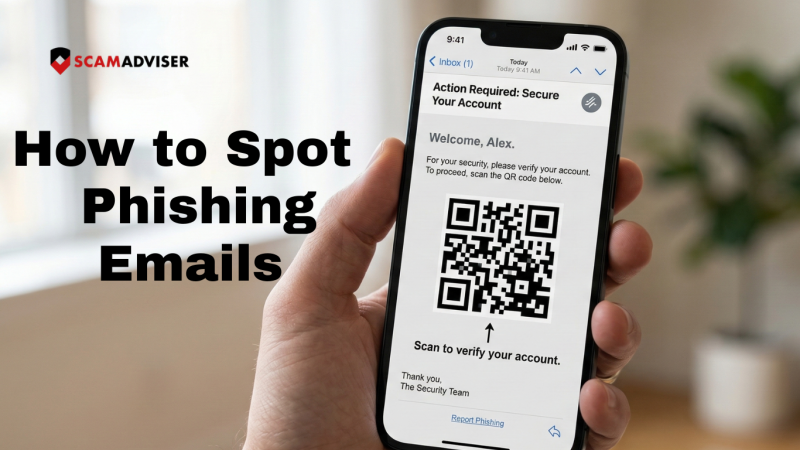
You receive an email from your bank. Perfect logo. No typos. Your name is spelled correctly. A polite but urgent request to verify your account. It’s a scam — and without this guide, you’d never know.
In 2026, the old rule of “just look for bad grammar” is obsolete. AI-driven social engineering has created an era of “perfect phishing,” where fraudulent emails are virtually indistinguishable from legitimate business correspondence. The Anti-Phishing Working Group (APWG) reports that attacks are now faster, more personalised, and increasingly automated.
Here’s how to detect phishing email 2026 trends before they catch you off guard.
In a Nutshell
AI now writes phishing emails that are grammatically flawless and visually convincing. To stay safe in 2026:
Scammers now use Large Language Models (LLMs) to write flawlessly. The Federal Trade Commission (FTC) warns that professional branding and perfect syntax are now standard in scams — not exceptional. A polished email is no longer a sign of legitimacy.
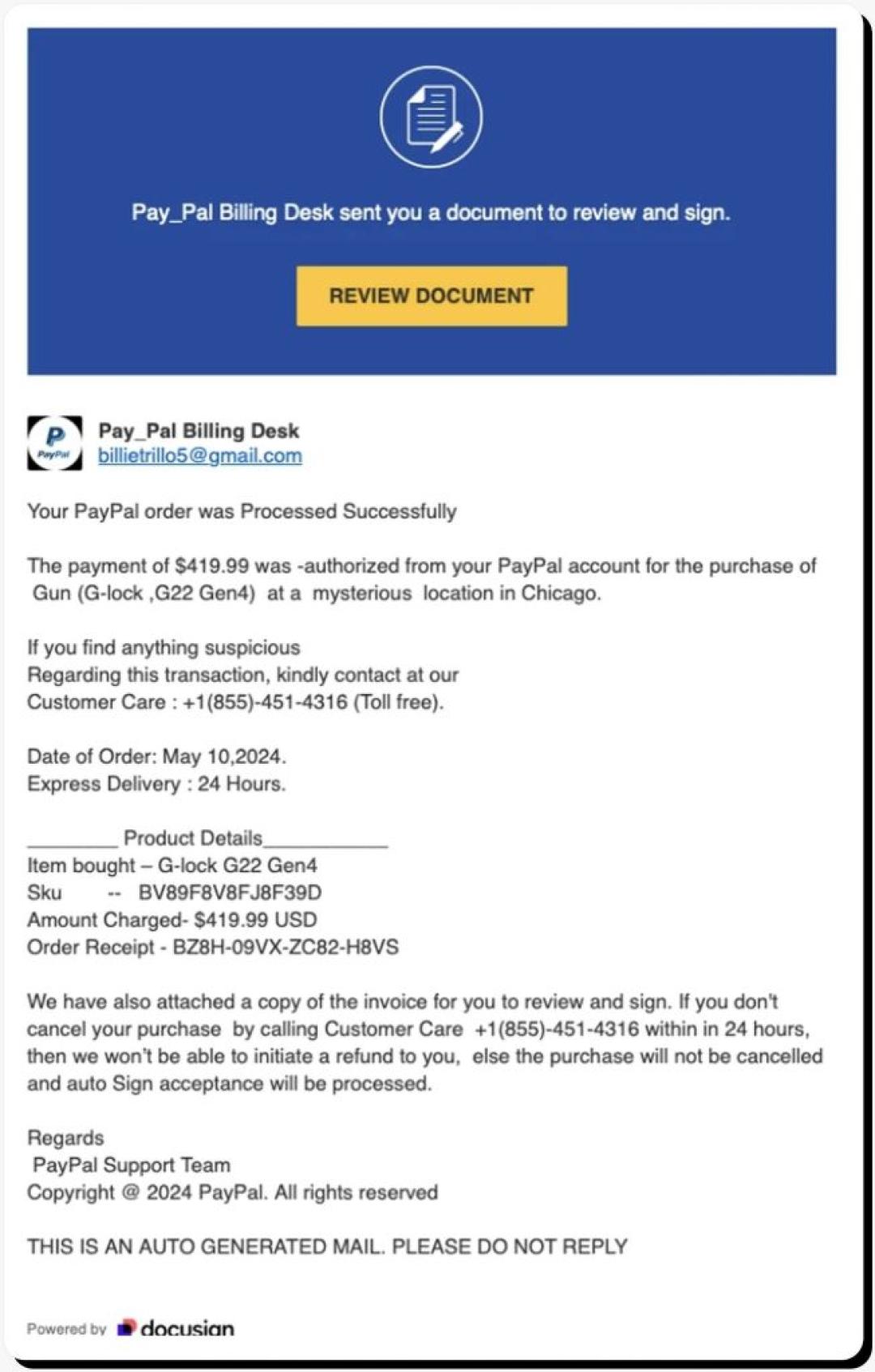
AI Phishing Email Examples:
What to watch for instead: unusual requests, unexpected urgency, and domain mismatches (covered below).
Because security filters struggle to scan images, attackers embed malicious QR codes directly into emails. They typically claim you must “Scan to verify your identity” or “Scan to claim your reward.”
Real-World Example
In early 2026, scammers impersonated DocuSign with flawless branding, a convincing domain (docusign-secure.io), and an embedded QR code. Over 14,000 people scanned the code within 48 hours before it was flagged and taken down.
Rule: Never scan a QR code from an unsolicited email. If you must verify, type the company’s web address manually.
Attackers craft long, convincing URLs that hide the real domain. The key rule: read the domain from right to left, working backwards from the first single slash (/).
❌ Scam URL ✅ Legitimate URL amazon.com.security-update.io amazon.com paypal-secure.login-verify.net paypal.com microsoft365.auth-check.co microsoft.comIn the scam URLs above, the real domain is everything after the last dot before the slash — e.g., security-update.io, not Amazon.
A legitimate corporate email will show SPF: PASS and DKIM: PASS in its headers. If you see FAIL or SOFTFAIL, the sender is almost certainly spoofed.
How to check in Gmail:
In Outlook: File → Properties → Internet headers → scroll to find SPF and DKIM results.
Before interacting with any email, run this quick mental check:
Is the actual email domain (e.g., @scamadviser.com) an exact match — not just the display name?
Does the URL preview in your browser match the official site? Check from right to left.
Does the email use fear, greed, or panic to force an immediate action? That’s the trigger.
Use this checklist before clicking any link or taking any action requested in an email:
☑ Display Name Check
☑ The Hover Test
☑ Unexpected MFA Push
☑ Forced Urgency
☑ QR Code Request
☑ SPF / DKIM Check
Yes. Modern Session Hijacking attacks can steal your browser cookies or active login tokens simply by having you click a malicious link. This allows attackers to enter your account even if you have Multi-Factor Authentication (MFA) enabled. Always hover over links before clicking to verify their destination.
Frequently Asked Questions
How do I know if an email is a scam if there are no typos?
In 2026, AI-generated scam emails are grammatically flawless. Instead of checking for typos, verify the sender’s actual email domain (not the display name), look for any forced sense of urgency, and check whether the link destination matches the official website. If any of these three things are off, treat the email as suspicious.
What is Quishing and how do I stay safe?
Quishing is phishing carried out via QR codes. It bypasses email security filters because there is no text link to scan — only an image. To stay safe: never scan an unexpected QR code from an email. If you must verify, use a secure scanner app that previews the destination URL before opening it, or simply type the company’s website address manually into your browser.
What is the Subdomain Trap?
Attackers craft URLs that look legitimate at first glance but contain a hidden domain. For example: amazon.com.security-update.io appears to reference Amazon, but the real domain is security-update.io. To decode any URL, read it from right to left from the first single forward slash — the real domain is the last segment before that slash.
What should I do if I clicked a phishing link?
Immediately disconnect your device from the internet to stop data exfiltration. Then, on a separate clean device, change your passwords and reset your MFA keys. Run a full malware scan on the affected device before reconnecting it. Finally, report the incident at ReportFraud.ftc.gov and notify your bank or any relevant service providers.
In 2026, your best defence is a healthy dose of scepticism — and a habit of verifying before you click. ScamAdviser analyses millions of websites and emails to help you stay protected. If something feels off, trust that instinct and check it at ScamAdviser.com before taking action.
Adam Collins, not his real name for security and privacy purposes, is a cybersecurity researcher at ScamAdviser with over four years of experience on the digital frontlines. Having spent 1,500+ days analyzing thousands of suspicious platforms and emerging fraud trends, he translates complex scams into actionable consumer advice. Adam’s mission is simple: exposing the red flags so you can navigate the web without fear.
