
EN
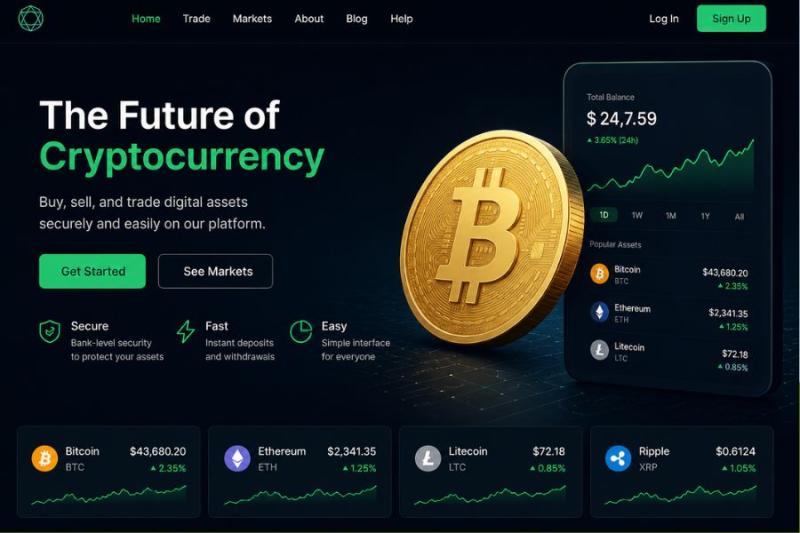
One wrong click on a malicious cryptocurrency website can drain your entire life savings in a matter of seconds.
Key Takeaways:
"We do not need to steal your private keys if we can simply convince you to hand over the money yourself."
According to the FBI IC3 2025 Annual Report, cryptocurrency fraud drained more than $11.3 billion from American victims in 2025. The total financial damage from digital asset fraud now makes up more than half of all reported cybercrime losses nationwide.
The Chainalysis 2026 Crypto Crime Report estimates that $17 billion was stolen in crypto scams and fraud globally in 2025. Criminal networks are scaling up their operations, leaning heavily on impersonation tactics to trick users at an industrial level.
Attackers are highly successful at targeting everyday users, extracting massive sums through specialized, automated phishing attacks.
Unlike a traditional banking scam where a fraudulent charge can be reversed or frozen, interacting with a fake crypto platform triggers a permanent transfer of assets. When you click "connect wallet" on a malicious site, you are interacting with a smart contract built by the attacker. This contract does not ask for your password or seed phrase. Instead, it asks for your cryptographic signature to authorize a transaction. Once you click "approve" in your wallet interface, the smart contract executes exactly as programmed, sweeping your tokens and NFTs into the attacker's wallet instantly.
What this means for ordinary users: Your wallet software will do exactly what you tell it to do, even if the website requesting the action is a sophisticated fake.
Criminals rarely build their own malicious software from scratch. Instead, they rent "Drainer-as-a-Service" toolkits from underground developers. The attacker buys a domain name that closely mimics a legitimate decentralized exchange, NFT marketplace, or token project. They clone the visual design of the real site so it looks identical. Then, they embed the rented drainer code into the site's connection button.
When you land on the site and attempt to claim an airdrop or make a trade, the button prompts your wallet software to pop up. The wallet displays a transaction request. Because the raw data looks like computer code, many users simply click "Confirm" without realizing they just signed a transaction granting the attacker permission to transfer all their assets.
Key distinction: Approval phishing does not steal your assets immediately; it steals the permission to take them whenever the attacker chooses.
In this variant, the fake website prompts you to sign a "token approval" transaction. Legitimate decentralized finance platforms use token approvals to allow smart contracts to move specific amounts of your cryptocurrency for trading. Phishing sites abuse this mechanism by requesting an "infinite approval." If you sign it, the attacker gains the permanent right to withdraw that specific token from your wallet at any time in the future, even if you never visit the site again.
In January 2026, a single high-net-worth victim fell target to an elaborate social engineering scheme involving a fake hardware wallet firmware update and clone website. The attacker trick-signed the victim into transferring authorizations, resulting in a single wallet drain of $282 million in assets. This single incident accounted for over 80% of all Web3 phishing losses in early 2026.
The lesson: Hardware wallets keep keys offline, but they cannot protect you if you sign a malicious contract or enter seed credentials into fake recovery tools.
Throughout late 2025 and into 2026, scammers automated the generation of "vanity" wallet addresses matching the first and last several digits of targets' real contacts. By blasting tiny 0-token transactions into targeted accounts, attackers flooded victims' transaction histories. Unwary users copied the scammer's address directly from their recent wallet history instead of their address book, transferring millions directly to attackers.
If you are wondering how to tell if a site is legit, look for these specific warning signs before connecting your wallet.
1. The domain name contains subtle misspellings, such as replacing a lowercase "L" with an uppercase "I" or using a different extension like ".cc" instead of ".com".
2. The website pressures you with artificial urgency, claiming an airdrop or minting opportunity will expire in a few minutes.
3. The platform demands that you input your seed phrase or private key directly into a text box on the webpage.
4. Your wallet software flashes a red warning banner indicating that the smart contract you are interacting with has been flagged for deceptive behavior.
5. The transaction prompt asks you to approve an infinite token allowance for a contract you have never interacted with before.
6. The site's official social media accounts have their comment sections completely disabled to prevent victims from warning others.
1. Do not click links directly from social media posts, direct messages, or search engine advertisements.
2. Manually type the known, official URL into your browser or use a trusted bookmark you previously saved.
3. Cross-reference the URL with the project's official documentation, verified Discord server, and CoinMarketCap or CoinGecko profile.
4. Review the smart contract address on a block explorer like Etherscan to see if other users have reported it for phishing.
5. Run the URL through a dedicated scam checker to analyze its background data and community trust score.
6. Use the ScamAdviser search bar to perform a comprehensive website safety check.
When you paste a crypto platform's URL into the ScamAdviser website safety checker, the tool instantly scans the domain's background data. It evaluates how recently the domain was registered, whether the server is located in a high-risk jurisdiction, and if the site is hiding its ownership details behind privacy proxies. The output gives you a definitive Trust Score and highlights any active community reports of phishing or wallet draining. This allows you to verify the platform's infrastructure before you ever risk exposing your digital assets.
Never keep all your cryptocurrency in the same wallet you use to interact with new websites and decentralized applications. Create a "burner" wallet funded with only a small amount of cryptocurrency for testing new platforms or minting NFTs. Keep your primary wealth in a cold storage hardware wallet that never interacts with unverified smart contracts.
Because approval phishing can grant attackers long-term access to your funds, you must periodically review the permissions you have granted to various smart contracts. Use a tool like Revoke.cash to view all active token allowances across your wallets. Revoke any approvals for contracts you no longer use or do not explicitly recognize.
Stop blindly clicking "Confirm" when your wallet presents a transaction. Read the data provided in the prompt to understand exactly what assets are moving and where they are going. If the transaction data is a string of unreadable code and you cannot verify the outcome, reject the request immediately.
Cryptocurrency transactions are strictly one-way, meaning any funds lost to a malicious smart contract or phishing site are gone forever. Whether dealing with compromised social media accounts like Vitalik Buterin's or poisoned supply chains like the Ledger Connect Kit, the core defense remains your ability to scrutinize what you are signing.
Your digital wealth is only as secure as the next transaction you approve.
Adam Collins is a cybersecurity researcher at ScamAdviser who operates under a pseudonym for privacy and security. With over four years on the digital frontlines, he specialises in translating complex threats into actionable advice. His mission: exposing red flags so you can navigate the web with confidence.
