
EN
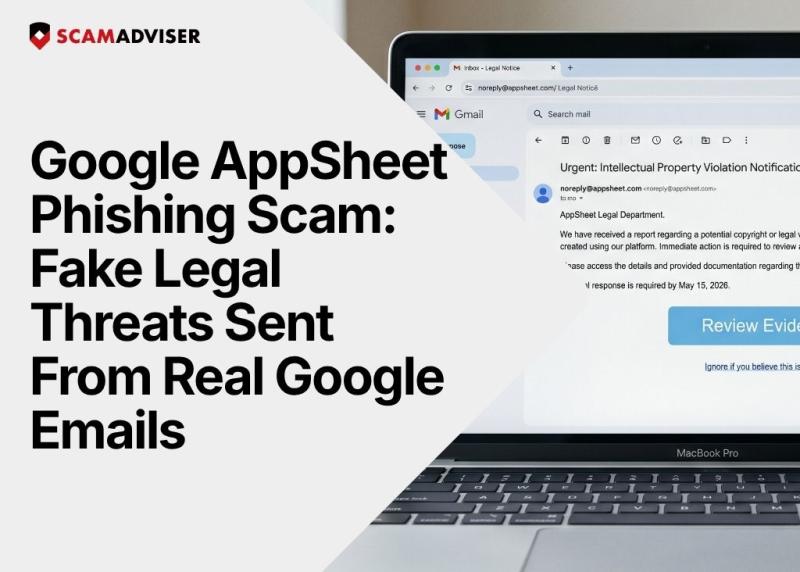
You open your inbox and see an urgent "trademark violation notice." You check the sender address and see it is from noreply@appsheet.com — a real Google domain. Everything looks legitimate. That is exactly the point.
This Google AppSheet phishing scam tricks your email security into marking the message as safe, concealing a highly sophisticated attack that bypasses the standard defences most inboxes rely on.
In a Nutshell
Since March 2025, cybercriminals have exploited Google's own infrastructure to send malicious emails directly from trusted Google servers. The scale is alarming: on a single day in April 2025, nearly 11% of all phishing emails sent globally came through AppSheet. One specific Vietnam-linked campaign, codenamed "AccountDumpling," used this method to compromise over 30,000 Facebook Business accounts across the United States, Italy, and Canada.
Google AppSheet is the company's free no-code platform that allows anyone to build custom apps and set up automated email notifications. Scammers abuse this notification system to send emails directly from noreply@appsheet.com and appsheet.bounces.google.com — legitimate Google addresses.
Because the emails come from Google's own servers, they bypass the three main authentication protocols that email security systems rely on: SPF, DKIM, and DMARC. All three checks come back clean, because technically, the email is from Google.
Security researcher Shaked Chen describes this as a "phishing relay" — attackers use a trusted platform's infrastructure as the visible sender to mask their true identity. It is a growing technique that turns the trust you place in big-brand infrastructure against you. For more on how phishing techniques work, read our guide on How to Recognise a Phishing Email.
A typical AppSheet phishing email is dressed up as an urgent legal threat, using subject lines such as:
The body of the email impersonates either a law firm or a Meta enforcement team, using high-pressure language to force you to act immediately. A prominent button urges you to "View Evidence," "Download Evidence," or "Verify Your Account."
While the sender address displays a genuine Google domain, the button link redirects to a phishing page hosted on third-party platforms such as Vercel, Netlify, or domains ending in .su. Some versions even include a fake verification tick inside the email body — a visual cue cynically designed to short-circuit your scepticism.
ScamAdviser Tip: Hover over any link before clicking. If the destination URL does not match the organisation supposedly contacting you, treat it as a scam.
This is where the AppSheet scam is genuinely dangerous: it works because it uses real Google infrastructure.
Standard spam filters check whether an email was sent from servers authorised to send on behalf of the claimed domain. Because AppSheet is an official Google product, every email it sends passes SPF, DKIM, and DMARC authentication perfectly. From a purely technical standpoint, the message is a genuine Google email — even though the content is entirely fraudulent.
Traditional security filters were not built to ask logical questions, such as: why is a Meta trademark enforcement notice arriving from a Google app-building tool? Context-aware, AI-powered security tools can detect that mismatch, but most organisations and individuals have not yet deployed them.
This is a key reason why Business Email Compromise (BEC) and platform-relay phishing have become so effective — and so difficult to stop at the inbox level.
Clicking the link takes you directly to a fake login screen built to steal your Facebook, Google, or email account credentials.
The operators behind the AccountDumpling campaign used a real-time man-in-the-middle proxy — a setup that captures your 2FA code at the exact moment you enter it, rendering two-factor authentication useless in this context. Some attack variants went even further, deploying html2canvas — a script that silently screenshots your browser session while you interact with the fake page.
Once attackers have access to your account, they move quickly:
In a particularly cynical final step, some attackers later approach their own victims to sell them "account recovery services" — monetising the damage they caused twice over.
For advice on what to do if your account has already been compromised, see our article on I've Been Scammed, What Now?
Look for logical mismatches between who the email claims to be from and what it is actually asking you to do. A Google app-building tool has no legitimate reason to enforce Facebook trademark policy.
Red Flag What to Do Urgent legal threat arriving from a Google product address Stop. Google products do not enforce trademark or copyright law on Meta's behalf. Button link leads to a URL shortener, .su domain, or unrelated third-party site Hover over the link to inspect the full destination URL before clicking. Subject line and email body content do not match Read carefully — scammers often recycle templates carelessly. You are asked to log in to Facebook or Google via a link in an email Open a new browser tab and go directly to the platform instead. Fake verification tick or trust badge inside the email These are images, not real indicators of security. Ignore them.Do not click any links, even if the sender address looks completely genuine.
You can also check whether the website or platform behind a scam email is legitimate using ScamAdviser's free website checker.
The Google AppSheet phishing scam represents a broader shift in how cybercriminals operate. They no longer need to fake a trusted sender address — they can simply use real infrastructure instead. The trust you place in a genuine Google email is precisely what these attackers weaponise against you.
Questioning an unexpected legal-threat email, even one from a recognisable address, is not paranoia. It is the only reliable defence available when authentication systems have been rendered useless.
If it creates urgency, demands a click, and threatens your account — treat it as a scam until proven otherwise.
Frequently Asked Questions
What is the Google AppSheet phishing scam?
It is an attack where scammers exploit Google's AppSheet platform to send fake legal threats from a genuine Google email address, bypassing standard spam filters.
Why is noreply@appsheet.com sending me threatening emails?
Cybercriminals are abusing AppSheet's automated notification system to deliver phishing links that pass all standard email authentication checks.
Can spam filters block these phishing emails?
Most traditional filters cannot block them, because the emails genuinely originate from authenticated Google servers. Context-aware or AI-powered security tools are better equipped to detect the mismatch.
How do I protect my Facebook Business account from this type of attack?
Always navigate directly to Facebook to check for any account alerts. Never follow links inside unsolicited legal-threat emails, even if the sender address appears to be from Google.
What should I do if I already entered my password on the fake page?
Change your password immediately, check your account's active sessions and connected apps, and enable two-factor authentication. Contact the relevant platform's support team if you suspect unauthorised access.
Adam Collins is a cybersecurity researcher at ScamAdviser who operates under a pseudonym for privacy and security. With over four years on the digital frontlines, he specialises in translating complex threats into actionable advice. His mission: exposing red flags so you can navigate the web with confidence.
