
EN
WhatsApp scams often start with a message that looks very normal; it could be a job offer, a delivery warning, a family emergency, a dating message, or an investment tip. While the approach changes frequently, the goal is always the same. The person wants your money, account access, verification code, credit card details, or personal information.
So, what exactly are WhatsApp scams? How can you spot a scam message, and what are the most common ones that scammers use today? As an organization that has dedicated all its efforts to these causes, we will explain them to you in greater detail!
Quick Summary
WhatsApp scams are fraud attempts sent through WhatsApp messages, calls, groups, or links. They can come from strangers, fake business accounts, hacked contacts, or people who first contacted you on another social media platform.
Some scams try to steal money directly. Others target your WhatsApp account, credit card details, passwords, or identity documents. Many start with a friendly message and turn serious once the other person thinks you trust them.
A phishing scam means someone tries to steal private information by pretending to be a real person or company. Smishing means phishing through SMS or messaging apps.
But what does Meta do against these scams? WhatsApp’s own safety guidance tells users to be careful with suspicious messages, verify unknown contacts, report messages, and block senders when something feels wrong. Meta also said WhatsApp removed more than 6.8 million accounts linked to criminal scam centers in the first half of 2025, which shows how active these scams are today.
Scams use WhatsApp because it is a lot more private and personal. A message inside a chat app can feel more trustworthy than a random email, especially when the sender uses a profile photo, a business name, or a familiar tone. It is also much faster, on a regular use, it is one of the most used communication apps in the world, simply because it makes communicating much faster and easier.
Meta says scam campaigns often move people across several platforms, such as text messages, dating apps, social media, private messaging apps, payment platforms, and crypto platforms. Be aware of platform hopping!
This is why you may first meet someone on Facebook, Instagram, TikTok, a dating app, or a job site, and then hear: “Can we continue on WhatsApp?” That is not proof of fraud, but it becomes risky when the person soon asks for something.
Here are 13 of the most common WhatsApp scams that are trending and how they are made:
A WhatsApp job scam often starts with a short message from a fake recruiter. The person may offer remote work, part-time income, app testing, product reviews, “data entry,” or simple online tasks.
The first message may say: “We found your profile and have a flexible job for you.” Some ask you to reply with “YES” or “INTERESTED.” The FTC warns people to ignore generic and unexpected job messages on WhatsApp or Telegram, and says real employers do not ask you to pay to get paid or get a job.
The trap appears later. You may receive small payments at first, then the fake platform asks you to deposit your own money to unlock larger earnings. Do not pay an “activation fee,” “tax,” “withdrawal fee,” or “task recharge” for any job offered through WhatsApp.
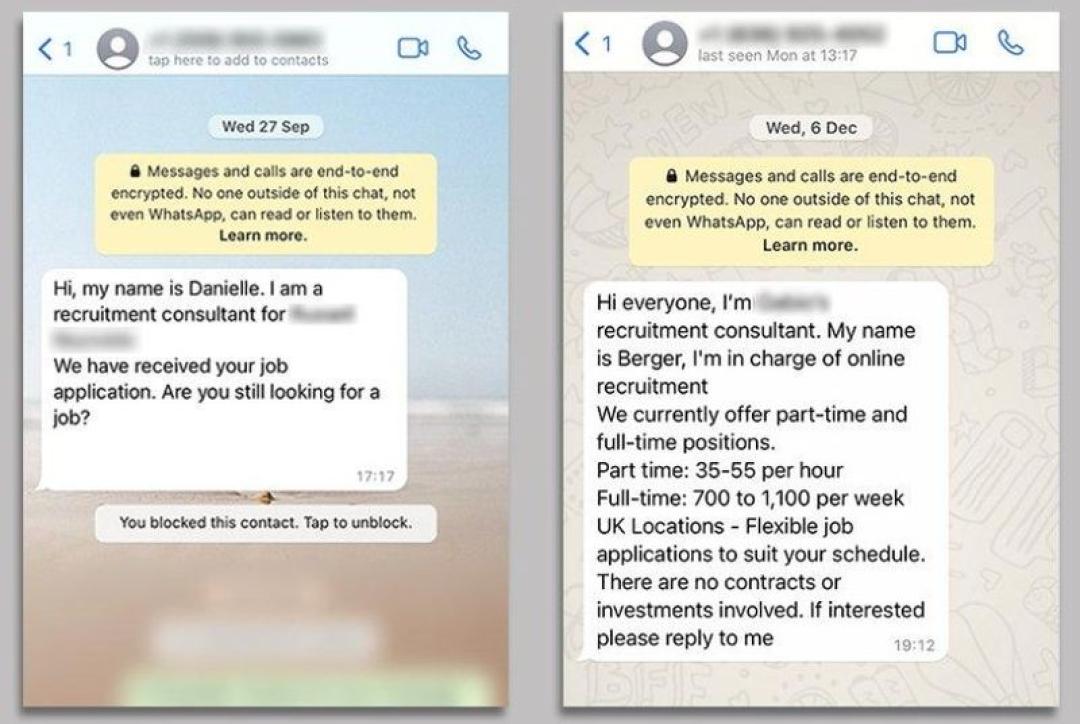
Image Credit: BBC
A WhatsApp investment scam usually promises fast money from crypto, forex, stocks, gold, or an unknown trading platform. You may get added to a group where fake members post profit screenshots and praise a “mentor.”
The group may use charts, trading signals, screenshots, and fake support staff. The FTC warns that investment scams may reach people through social media, WhatsApp, or online ads, and often show fake “proof” that your money is growing.
If the site later asks for more money before you can withdraw your balance, treat it as a scam. The FBI said cryptocurrency-related investment fraud caused the highest reported losses among 2024 internet crime categories, with more than $6.5 billion in reported losses.
This scam targets your WhatsApp account. The message usually says: “I sent a code to your number by mistake. Can you send it to me?”
That code is not harmless. WhatsApp says someone trying to verify your number cannot complete the process without the verification code sent to your phone.
If you share the code, the other person may take over your WhatsApp account and message your contacts.
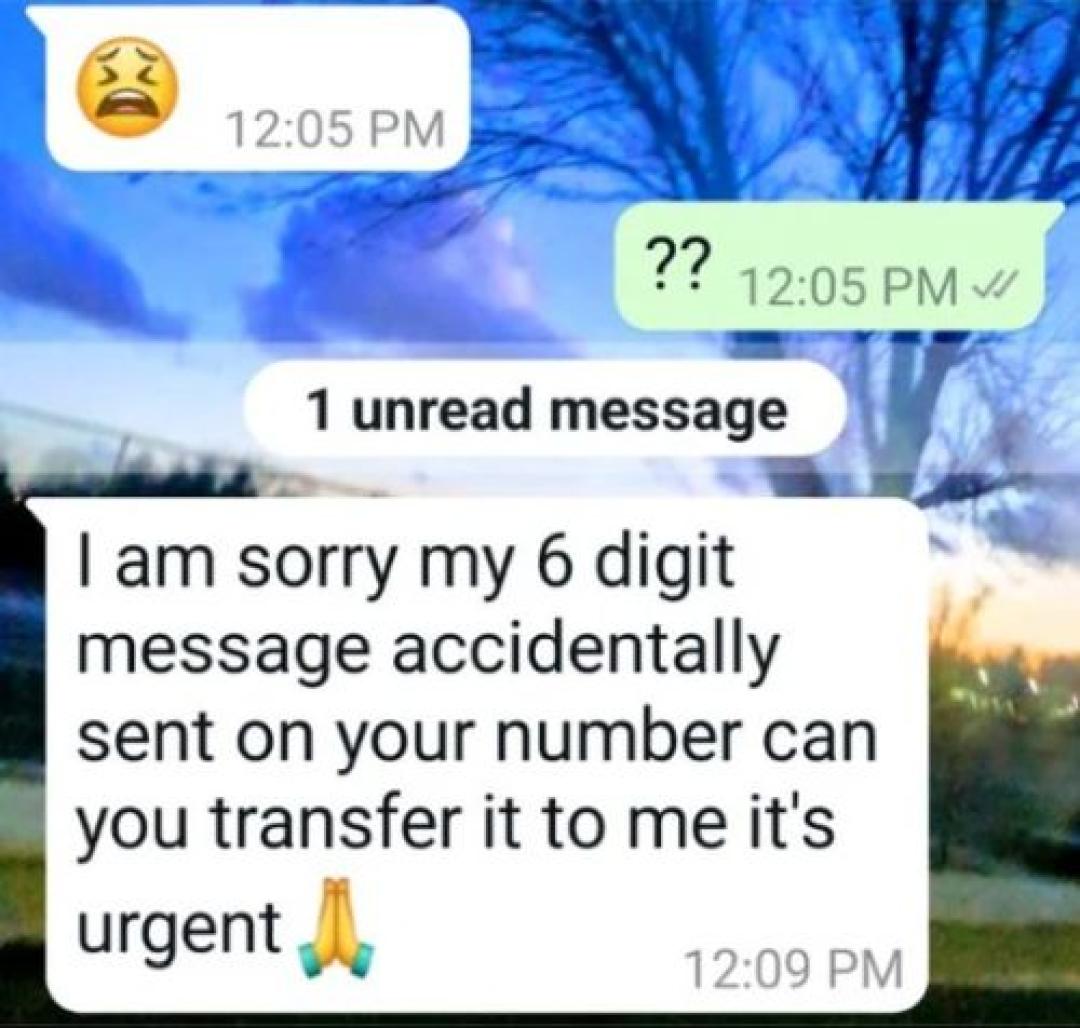
Image Credit: Reddit
OTP scams work like verification code scams, but they target more than WhatsApp. The person may ask for a banking OTP, delivery OTP, card payment OTP, or account recovery code.
A common message says: “You will receive a code to confirm the refund.” Another says: “Send the OTP so we can release your parcel.” Once you share it, the other person may confirm a payment, reset a password, or access an account.
Treat every OTP as private. A real bank, courier, marketplace, or support team should not need you to send the code through WhatsApp.
In this scam, someone pretends to be your child, parent, sibling, or friend. The message often starts with “Hi Mum,” “Hi Dad,” or “I changed my number.”
The story usually involves a lost phone, broken phone, unpaid bill, urgent transfer, or blocked bank account. Police Service of Northern Ireland says this scam often involves someone posing as a family member or friend and asking the recipient to transfer money.
Do not send money through a new number. Call the person through their old number, another family member, or a known contact method.
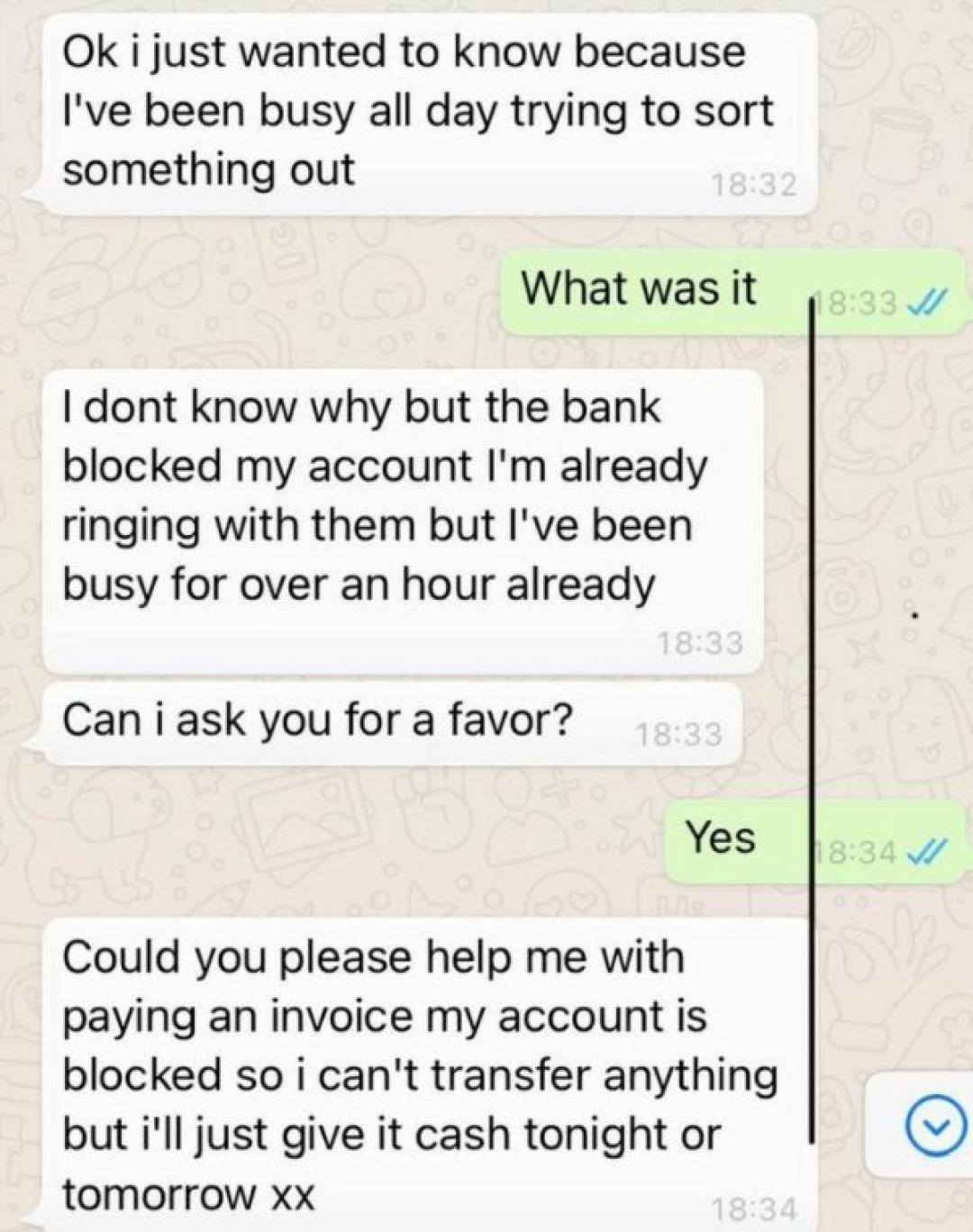
Image Credit: BBC
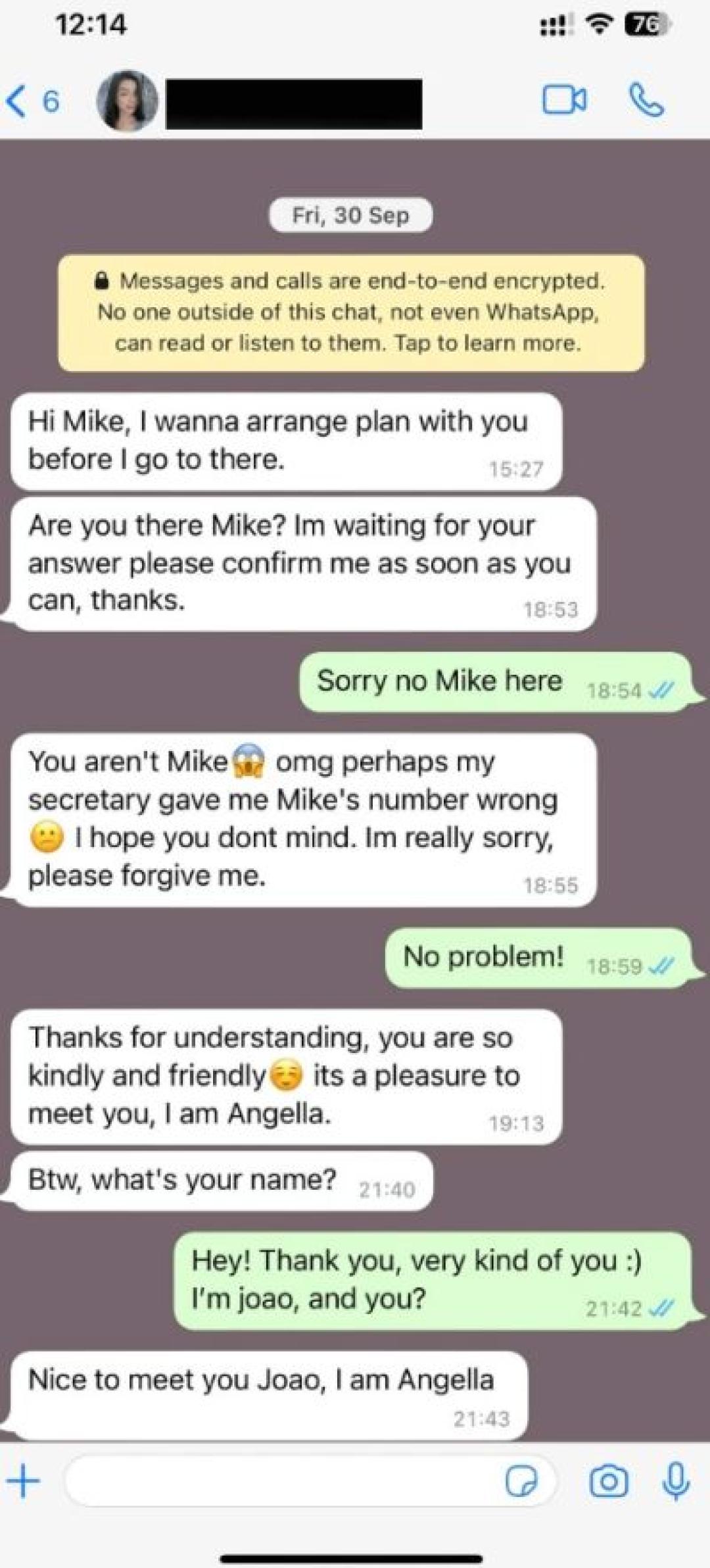
Wrong number scams start casually. You may receive a message like: “Hi, is this Anna?” or “Sorry, I think I saved the wrong number.”
The person then continues the chat and tries to build trust. After a few days or weeks, the conversation may turn into dating, investing, crypto, or a business opportunity.
Do not treat a polite stranger as safe just because the conversation feels natural. If a wrong number contact starts talking about money, trading, or personal problems, stop replying.
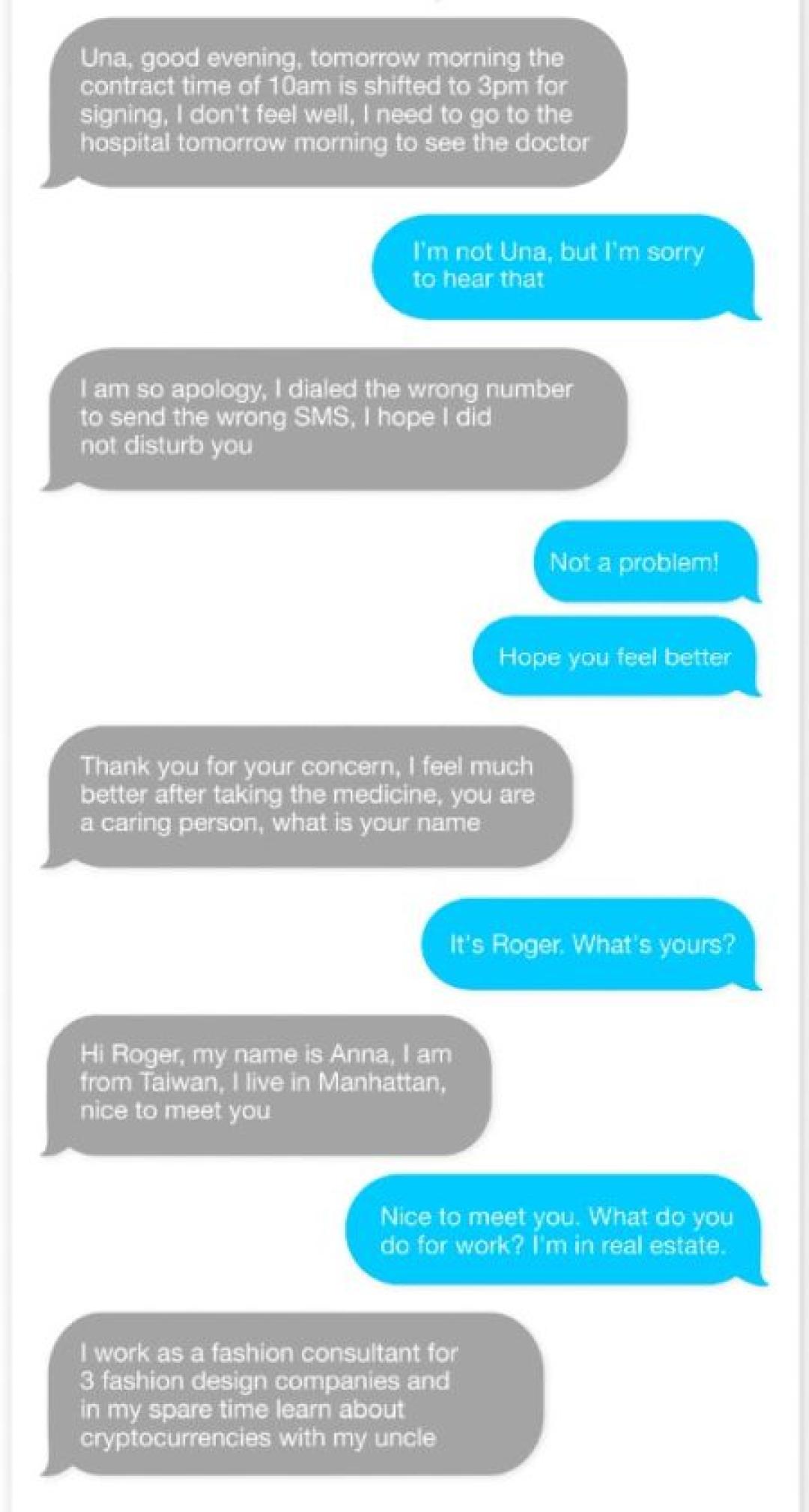
Image Credit: NBC
WhatsApp dating scams often begin on dating apps, Instagram, Facebook, or other social media sites. The person then asks to move the chat to WhatsApp because it feels more private.
The scam may involve romance, emotional pressure, fake emergencies, or crypto investing. The FTC says that when someone you meet online says they can teach you how to invest in cryptocurrency, it is an investment scam.
Be careful with anyone who avoids video calls, moves fast emotionally, asks for secrecy, or brings up money. Real dating does not require deposits, trading accounts, gift cards, or crypto transfers.
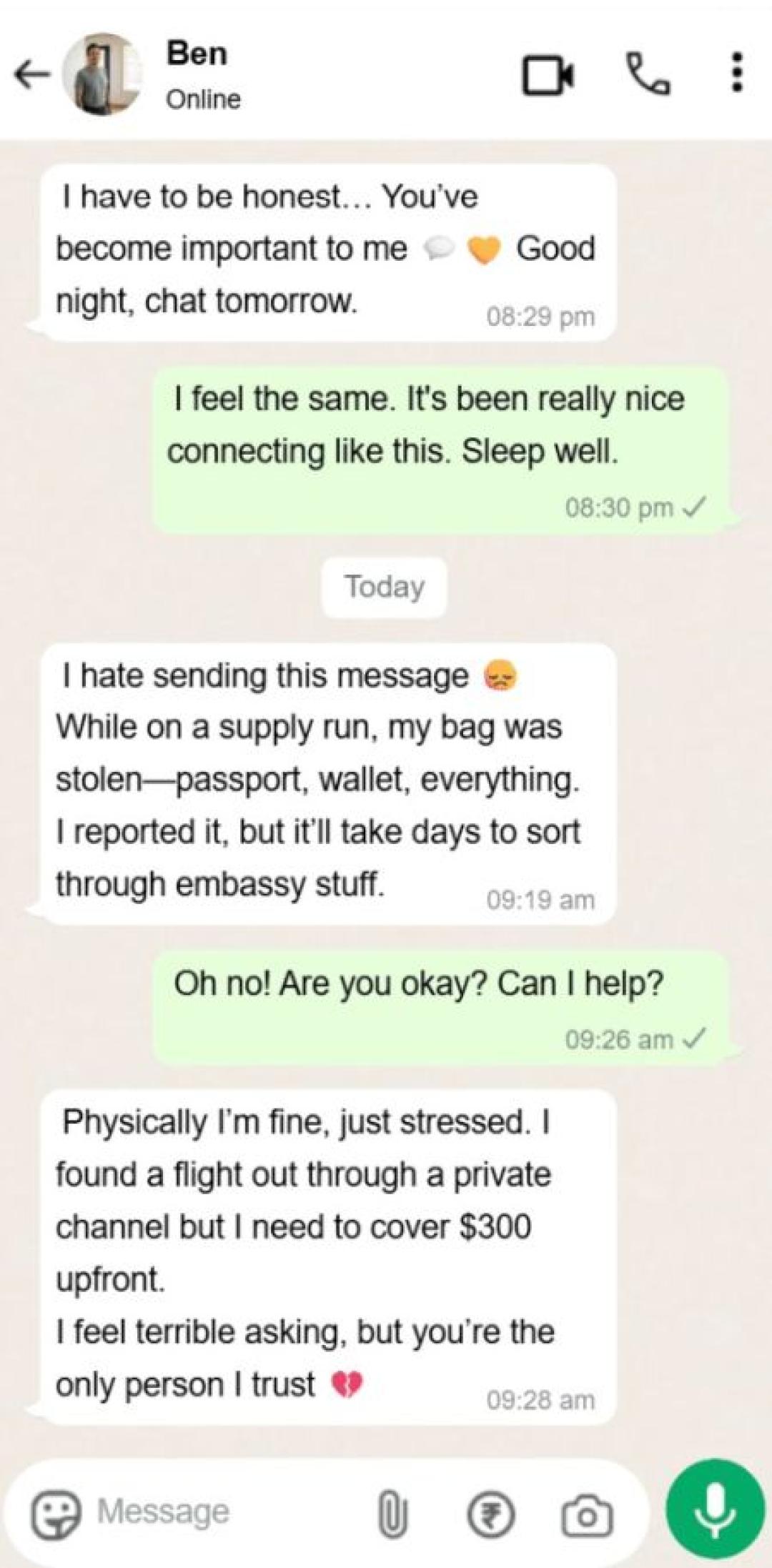
Pig butchering is a long-term confidence scam. The person builds a relationship, then slowly guides you toward a fake investment platform.
The name comes from the way the scam grows over time. The person may chat daily, send photos, discuss future plans, and then introduce a “safe” investment method.
The fake platform may show a growing balance, but the money is not really there. When you try to withdraw, you may face “tax,” “verification,” or “unlock” fees. Do not pay more money to recover money from an unknown investment site.
A WhatsApp phishing message sends you to a fake website. The link may pretend to come from a bank, delivery company, social media platform, streaming service, or government agency.
The page may ask for your login, card number, address, ID document, or security code. Some pages copy real brand names and logos, so the design alone does not prove anything.
Before you enter details, check the domain carefully. You can also paste the website into ScamAdviser’s website checker to review trust signals before you share personal data.
Don’t forget to check our piece on how to recognize a phishing scam!
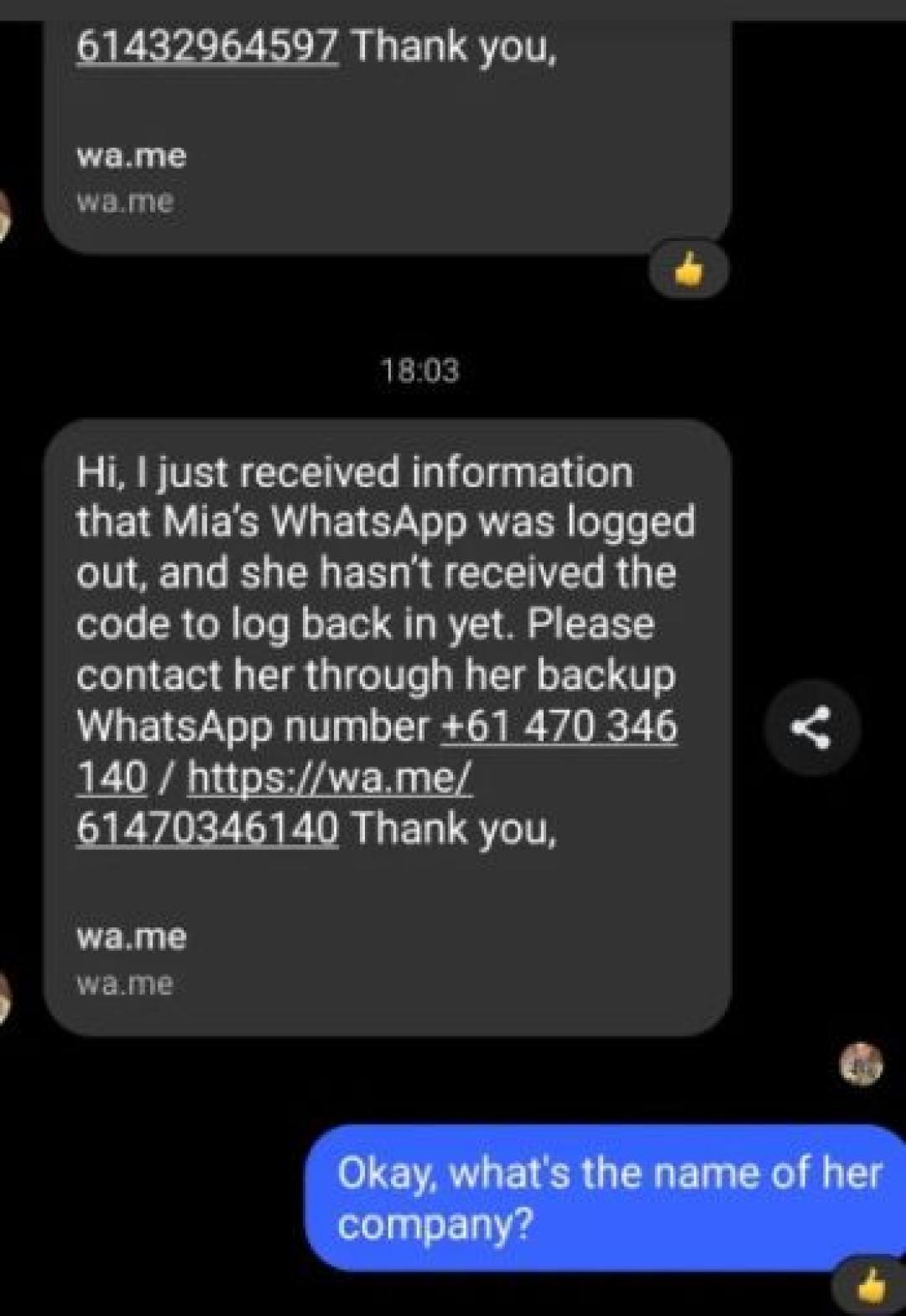
Image Credit: Reddit
Fake delivery scams claim that a parcel could not be delivered. The message may ask you to pay a small redelivery fee by credit card.
The small fee makes the scam feel low risk. The real target is usually your card number, security code, address, and sometimes a banking OTP.
Do not pay through a WhatsApp link. Open the courier’s official website yourself, enter the tracking number there, and check whether the parcel exists.
In this scam, someone pretends to be support staff from a bank, airline, marketplace, crypto exchange, Meta, or WhatsApp. They may contact you after you post a complaint online.
The message may say: “We can solve this faster on WhatsApp.” Then the fake agent asks for screenshots, login codes, card details, or remote access.
Real support teams should not ask for your password, full card details, two-step verification PIN, or WhatsApp registration code. Contact the company through its official website or app.
Screen sharing scams often happen during a WhatsApp call. The person may say they need to “guide you” through a refund, bank issue, support case, or account check.
If you share your screen, the other person may see OTPs, banking alerts, private chats, passwords, or card details. They may also tell you where to tap so you approve a payment without noticing.
Never share your screen with someone who contacted you unexpectedly. If a bank or support agent asks for screen sharing through WhatsApp, end the call and contact the company through an official number.
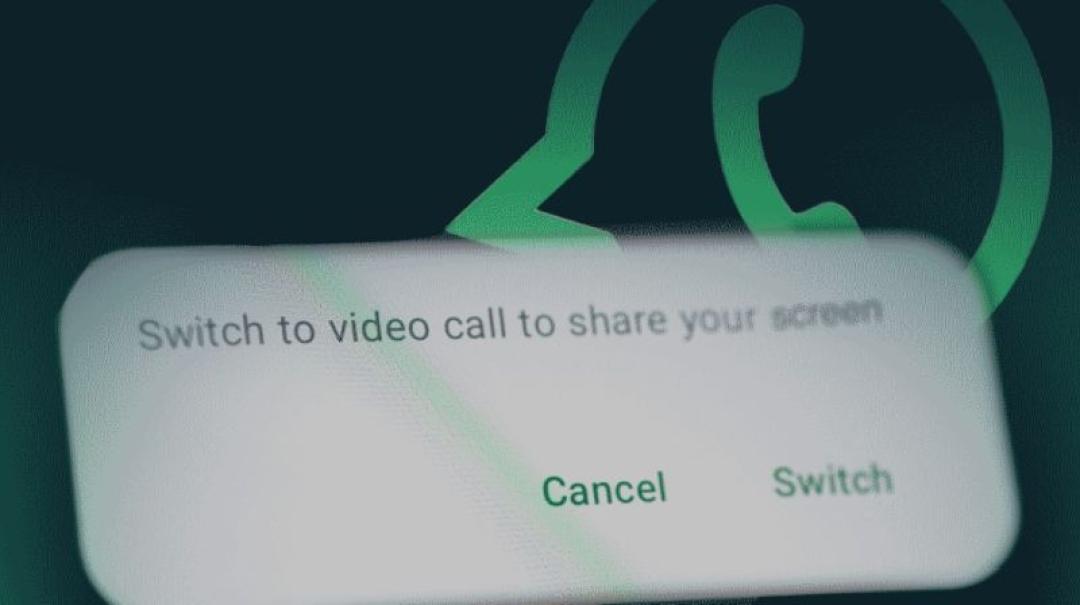
Image Credit: ESET
Fake app scams claim you can get “WhatsApp Gold,” premium features, a new version, or a special update. Others use fake giveaways, surveys, or brand promotions.
These messages often ask you to install an APK file, complete a survey, or forward the message to friends. That can expose your phone to malware or send your data to unknown people.
Use only the official WhatsApp app from trusted app stores. WhatsApp also recommends two-step verification as an added security feature for your account.
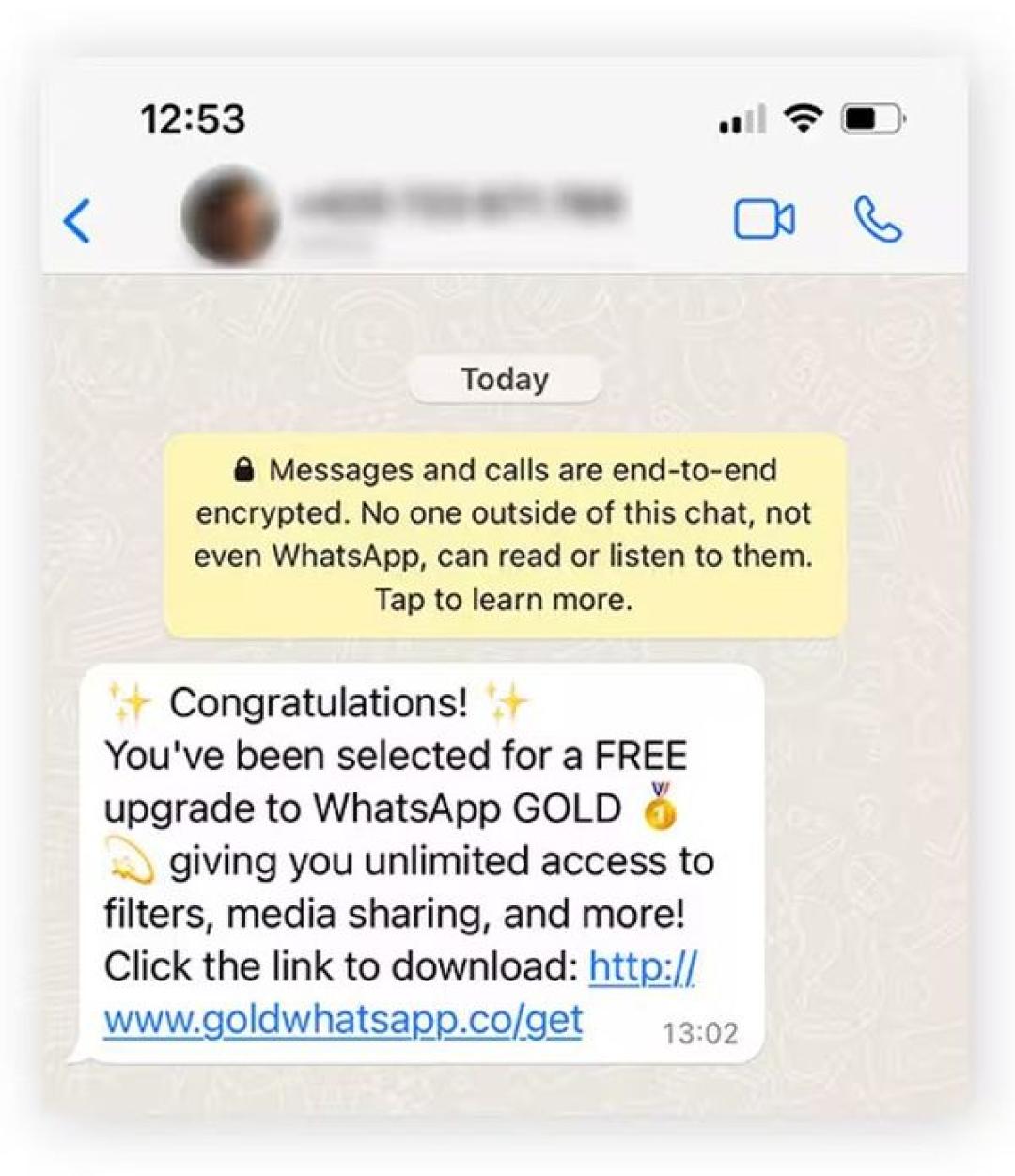
Image Credit: Norton
Most WhatsApp scams ask you to act before you verify the message. Watch for urgency, secrecy, money requests, code requests, suspicious links, or promises that sound too easy.
Be extra careful with messages that use pressure phrases like “only today,” “limited spots,” “guaranteed returns,” “final warning,” or “your account will be blocked.” These phrases push you to react before you think.
If you clicked a link, close the page and do not enter more details. If you typed a password, change it from the official website or app. If you reused that password anywhere else, change it there too.
If you shared your WhatsApp verification code, try to register your number again in WhatsApp. Then enable two-step verification, warn your contacts, and check linked devices.
If you sent money, contact your bank, card provider, payment app, or crypto exchange right away. Unfortunately, you may not be able to recover cryptocurrency lost to scams!
First things first, verify outside WhatsApp before you trust a request. If someone asks for money, a code, a card number, or a private document, check the story through another channel.
Use these steps:
Once you slow the conversation down, check the source, and refuse to share codes or money, most scams lose their power.
Is WhatsApp used for scams?
Yes, WhatsApp is used for scams because fraudsters can contact people directly through messages, calls, links, and groups.
How do WhatsApp scams work?
WhatsApp scams usually start with a friendly or urgent message, then ask you for money, a code, login details, credit card information, or a payment through another platform.
What should I do if someone asks for my WhatsApp verification code?
Do not share the code, report the message, block the sender, and enable two-step verification.
Can I get my money back after a WhatsApp scam?
You may be able to recover money if you contact your bank, card provider, payment app, or crypto exchange quickly, but recovery depends on the payment method and timing.
Does one check mark on WhatsApp mean someone is scamming me?
No, one check mark means your message was sent but not delivered yet, so you should look for scam behavior instead of relying on check marks.
How can I check if a WhatsApp link is safe?
Copy the link without opening it, check the domain carefully, and scan the website through ScamAdviser before you enter personal or payment details.
Jamie James is an alias of an experienced technology writer whose pieces and reviews appeared in various media outlets, such as CNET, Softonic, gHacks, and more. He has been covering technology news, evergreen guides, and pieces on how to stay safe online for many years.
