
EN
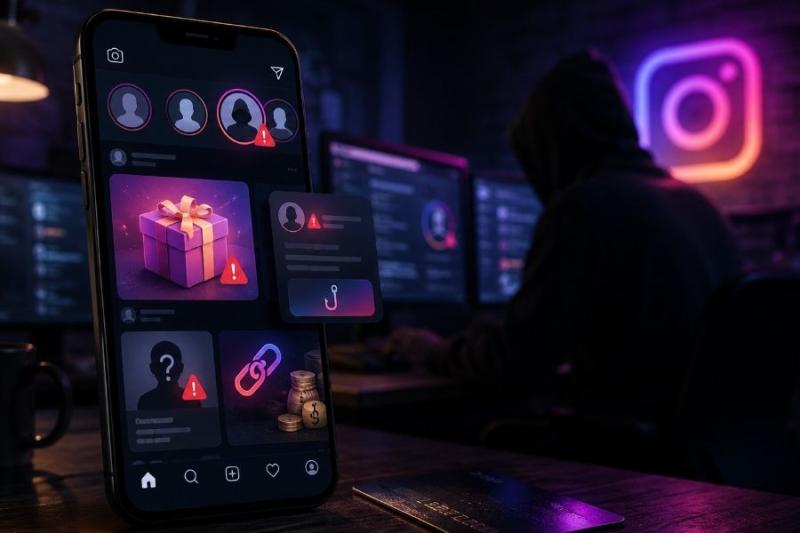
Instagram scams affect more users as the platform welcomes new people from all around the world every passing day. These scams can start in a DM, an ad, a fake shop, a hacked account, or an email that claims your profile has a problem. At first glance, everything might feel normal, but that’s how scammers trick people. If you are a victim of an Instagram scam or are on the edge right now, this piece goes over everything you need to know about this scam category, such as what it really is, some of the currently common strategies, and how to avoid them!
Quick Summary
Instagram is used for scams because first, it is very popular, and second, it is very easy to communicate with others on the platform, very similar to WhatsApp scams. They are also much more personal, especially if someone from your followers list got hacked and the scammers are using their account to send you a phishing link.
According to Meta, scams can involve fake brand websites, malicious messages, social posts, visual discovery platforms, and discussion forums. Meta also says Instagram may warn users when an account suspected of scam activity requests to follow them.
An interesting research from the FTC shows that social media was the costliest fraud contact method in 2025, with nearly 30% of people who reported losing money saying the scam started on social media. Facebook, WhatsApp, and Instagram were among the top platforms named in those reports.
Before moving on to the next section, read our ultimate scam checklist for a better perspective of Instagram and other scams!
Here are 11 of the most used Instagram scams that you should be aware of, with examples:
Instagram DM scams often start with a message from a stranger, a hacked friend, a fake brand, or a fake support account.
The message may say “vote for me,” “claim your prize,” “your account will be deleted,” or “I need a quick favor.” The link then sends you to a fake login page, payment page, survey, or account recovery form.
Do not click links from unexpected DMs. If a friend sends a strange message, verify it through another channel before you reply.
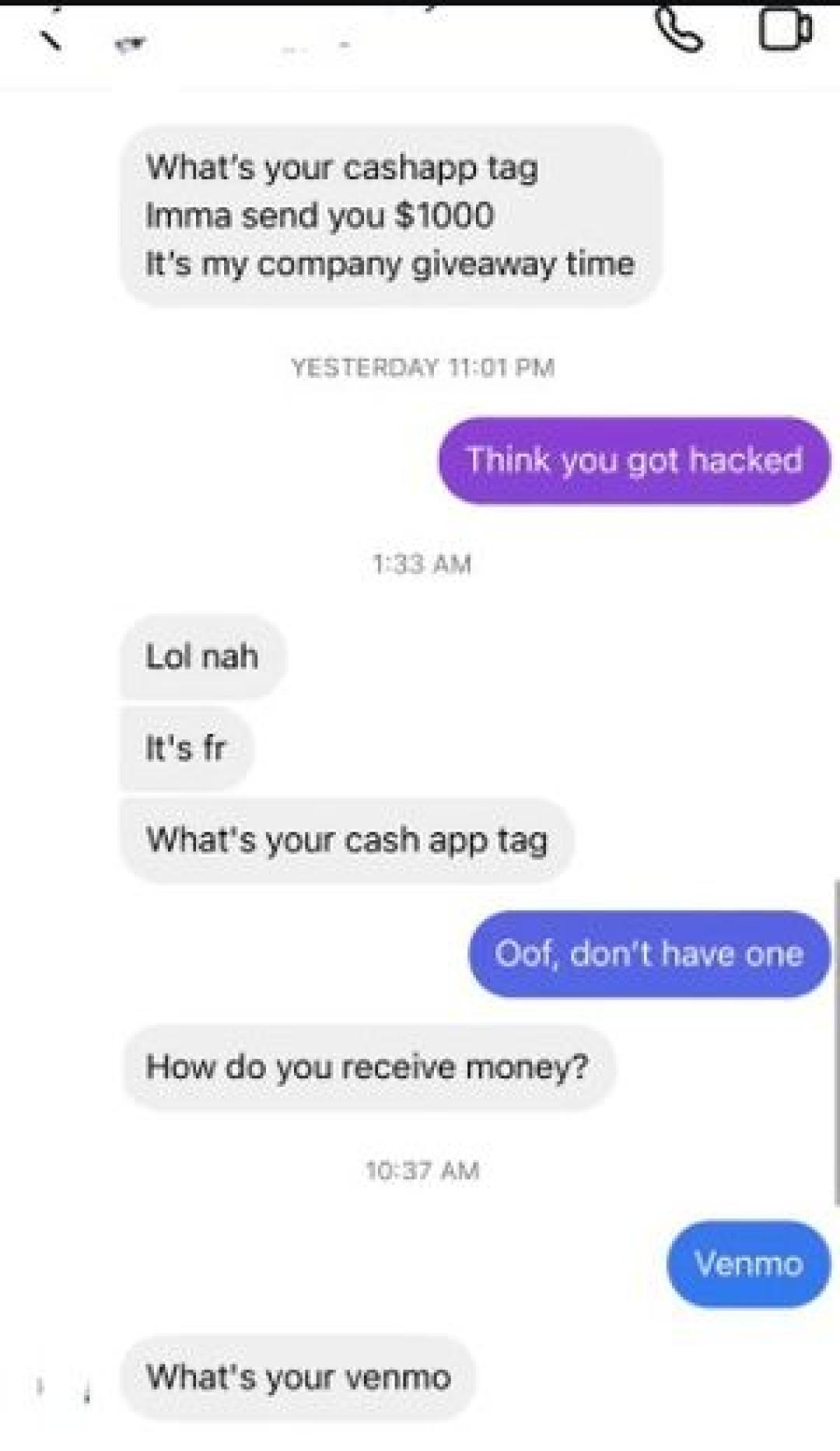
Image Credit: Reddit
Instagram phishing scams try to steal your login details by sending you to a fake Instagram page.
The message may claim there is a copyright complaint, policy violation, suspicious login, or account suspension. Instagram warns users about suspicious emails and messages, and not to trust messages that demand money, offer gifts, or threaten to delete or ban an account.
If you enter your username and password on a fake page, the scammer can take over your account. Go directly to the Instagram app or official website instead of using links from messages.
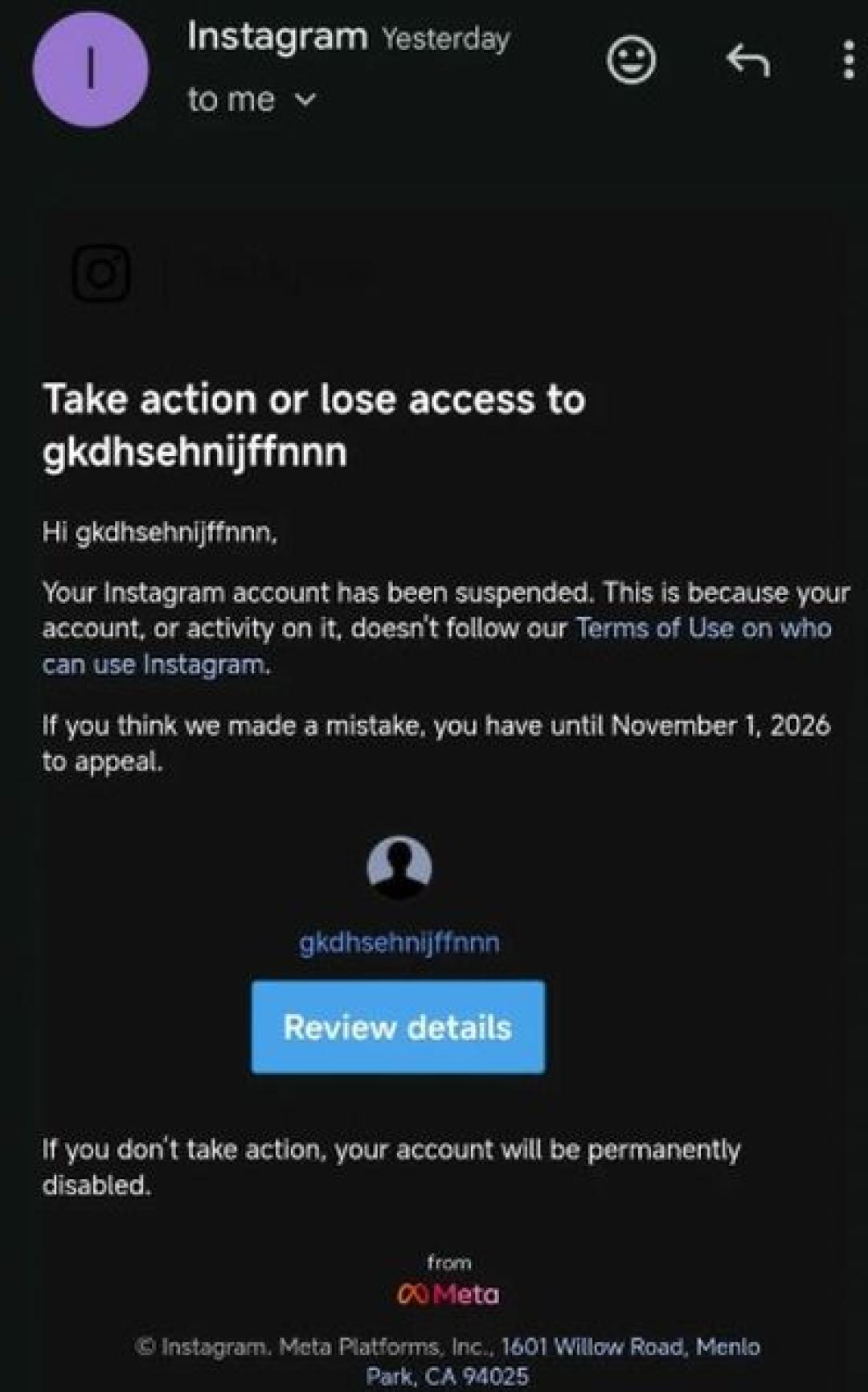
Image Credit: Reddit
Fake Instagram support scams pretend to come from Instagram, Meta, or a “verification team.”
Instagram says it will never send you DMs about your account inside the app. You can review official Instagram emails sent in the last 14 days from your Settings.
If you receive a DM that says your account will be deleted unless you click a link, treat it as a scam. Check your account status inside the app instead.
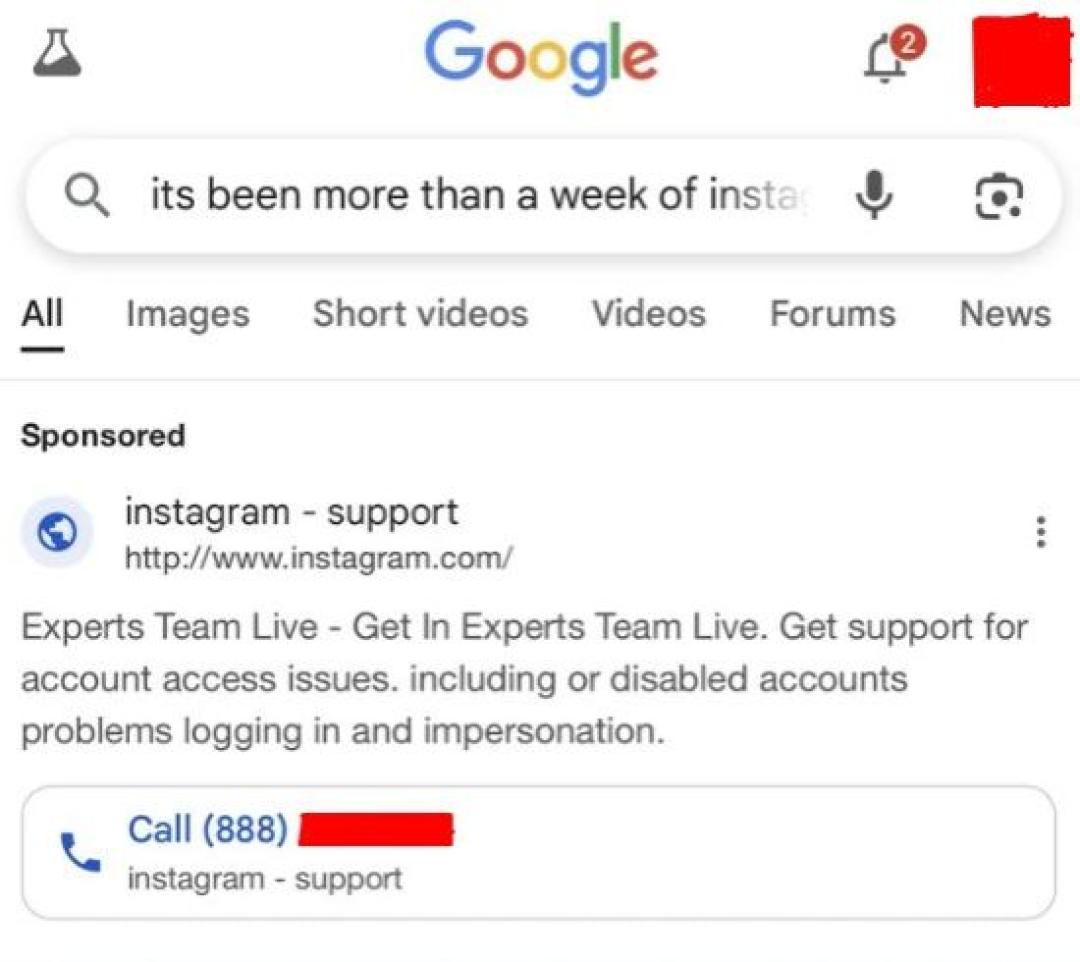
Image Credit: Reddit
Fake Instagram shops sell products that never arrive, arrive as counterfeits, or look nothing like the photos.
The shop may promote clothes, sneakers, cosmetics, electronics, supplements, furniture, or viral gadgets. The account may use stolen product videos, fake comments, and prices that look much lower than normal.

Image Credit: Reddit
Instagram ads can be scams when they send you to fake shops, fake investment pages, fake giveaways, or phishing websites.
According to the FTC, shopping scams were the most reported type of social media scam in 2025, and many people said they ordered something from a social media ad but never received it or received a knockoff.
Do not trust an ad just because it appears inside Instagram. Check the seller, website, reviews, payment method, and refund policy before you enter credit card details.
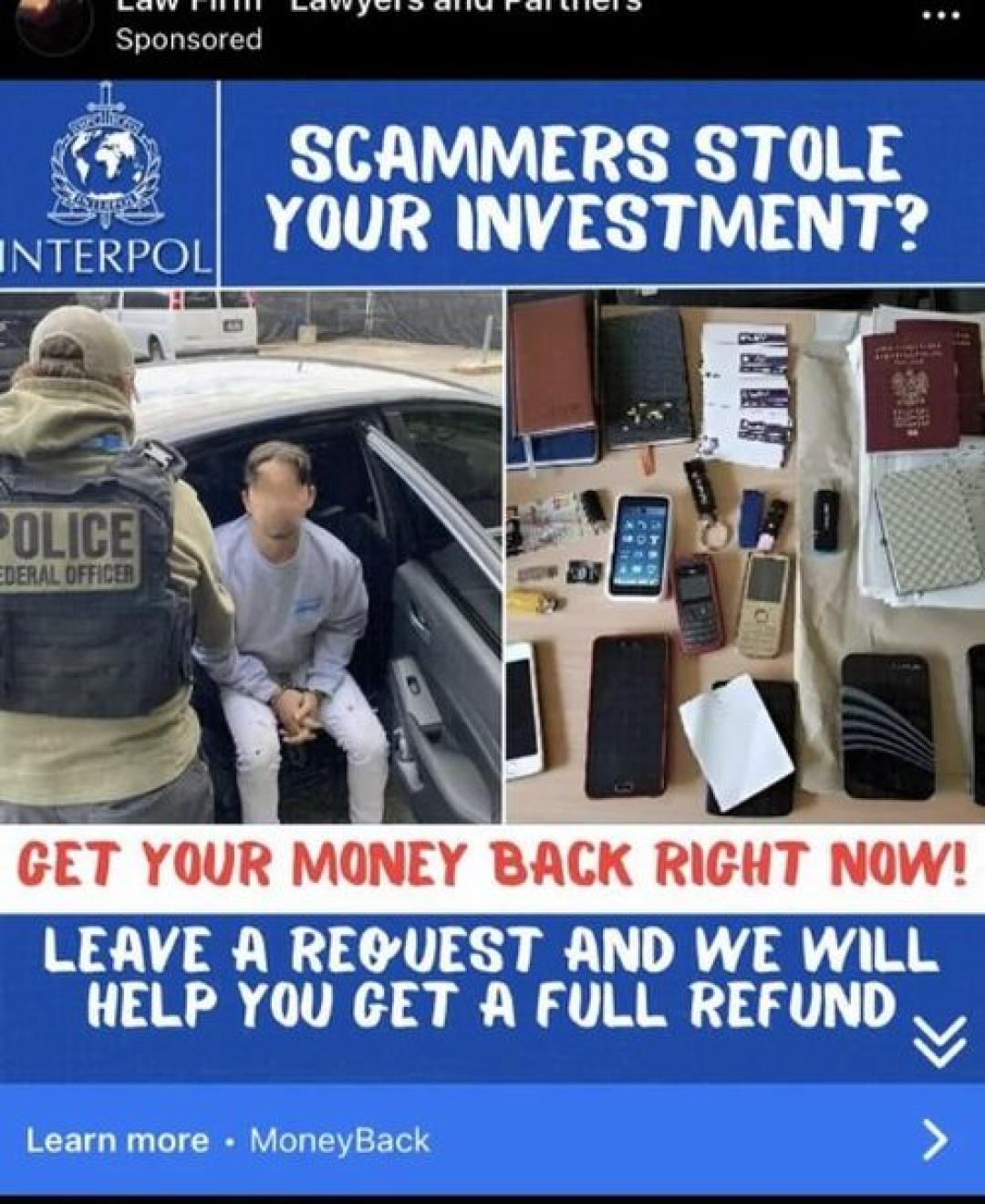
Image Credit: Reddit
Fake giveaway scams tell you that you won a prize, voucher, phone, gift card, or brand promotion.
The scam usually asks you to pay a shipping fee, complete a survey, enter card details, or share the post with friends. Some fake giveaway pages copy real brand names and logos to look believable.
A real prize should not require you to pay a surprise fee through a random link. If the giveaway account is new, has weak engagement, or uses a strange domain, walk away.
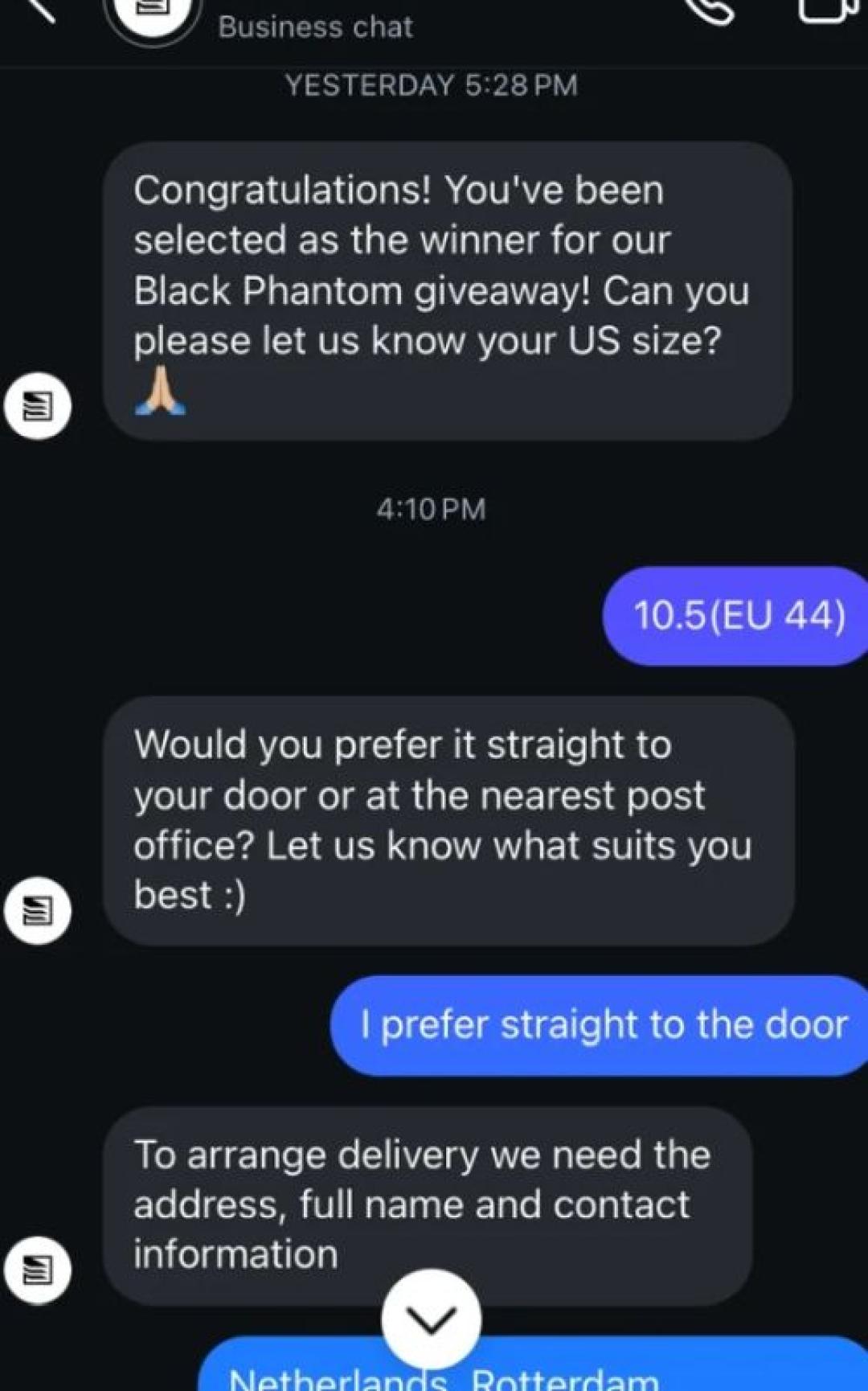
Image Credit: Reddit
Instagram investment scams promise fast money through crypto, forex, stocks, trading signals, or “cash flipping.”
According to the same FTC report, investment scams caused more than half of reported social media scam losses in 2025. It also warns people never to let someone they met on social media direct their investment decisions.
Be careful with phrases like “guaranteed returns,” “limited spots,” “double your money,” and “withdraw anytime.” Real investing carries risk, and a stranger in your DMs should not control your money.
Instagram dating scams often start with compliments, frequent messages, and a profile that seems too polished or emotionally available.
The person may avoid video calls, claim to live abroad, or build trust for days or weeks before asking for money. Some romance scams shift into fake investments after the person gains your trust.
The FTC says nearly 60% of people who reported losing money to a romance scam in 2025 said it started on social media.
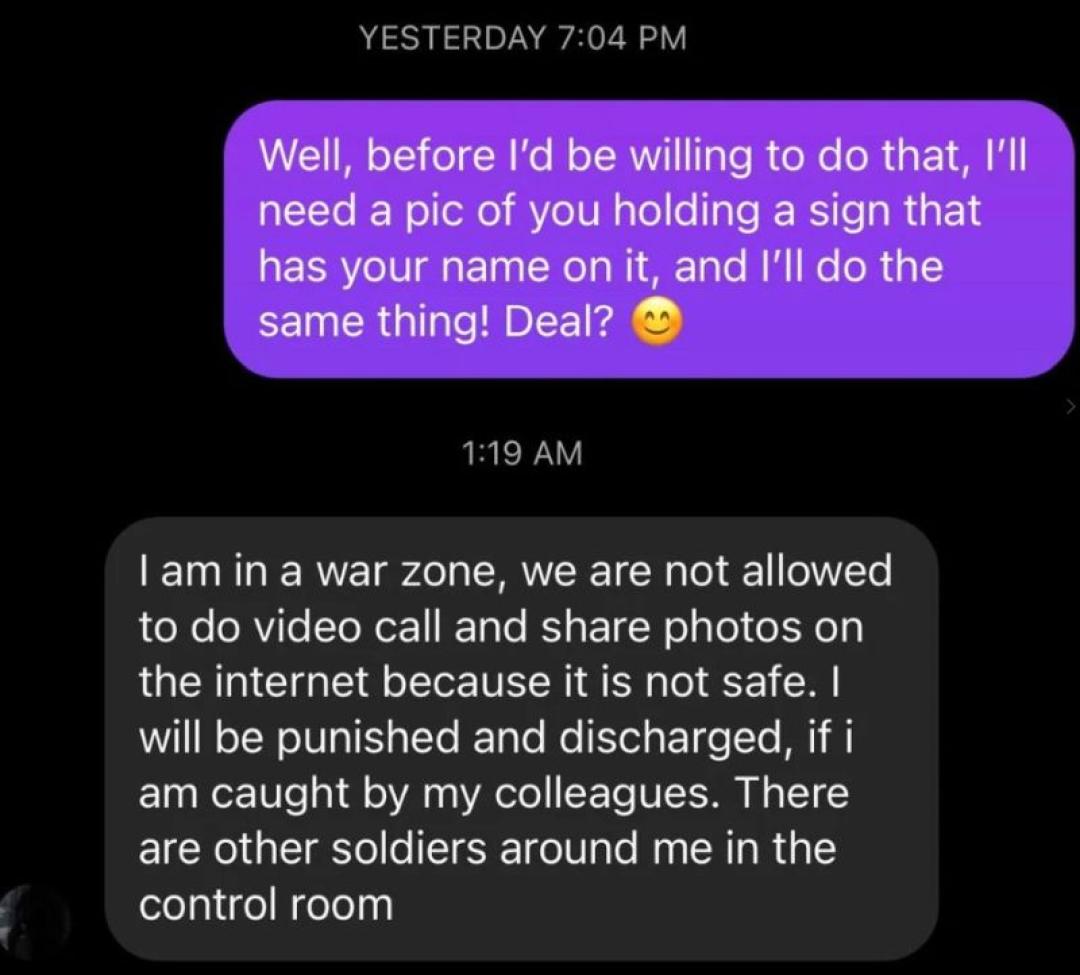
Image Credit: Reddit
Sextortion means someone threatens to expose a private sexual image or video unless you send money, gift cards, or more images.
Meta removed around 63,000 Instagram accounts in Nigeria in 2024 that tried to target people with financial sextortion scams.
Do not pay. Save evidence, report the account, block the person, and contact local authorities or a trusted support organization if you are threatened.
Fake influencer and sponsorship scams target creators, small businesses, and people who want to grow on Instagram.
The message may offer a paid collaboration, free product, verification badge, brand deal, or account growth service. Then it asks for login details, payment, banking information, or access to your account.
Real brands usually use company email addresses, clear contracts, and traceable business details. Do not give account access to someone who contacted you through a vague DM.
Loan, grant, and cash-flipping scams promise quick cash with no real checks.
The message may say “send $100 and get $1,000 back,” “government grant approved,” or “instant loan, no credit check.” The next step is usually an upfront fee, fake processing charge, or request for your Social Security number, bank details, or credit card information.
Never pay money to receive money from a stranger on Instagram. If a financial offer starts in a DM and pressures you to act fast, treat it as unsafe.
To recognise a scam, check the website first, then check the Instagram account and the offer. Here is a cleaner look:
What to check
What to look for Website link Copy the URL and run it through ScamAdviser before you click around or enter details. Trust Score Read the score, then check the reasons behind it. Website details Review domain age, review signals, technical details, and malware or phishing warnings. Instagram profile Check the username, profile photo, post history, tagged posts, comments, and follower quality. Offer Be careful with “only today,” “limited spots,” “guaranteed returns,” “free prize,” and “small fee to claim.” Payment request Avoid crypto, gift cards, wire transfers, payment app transfers to strangers, and “friends and family” payments.
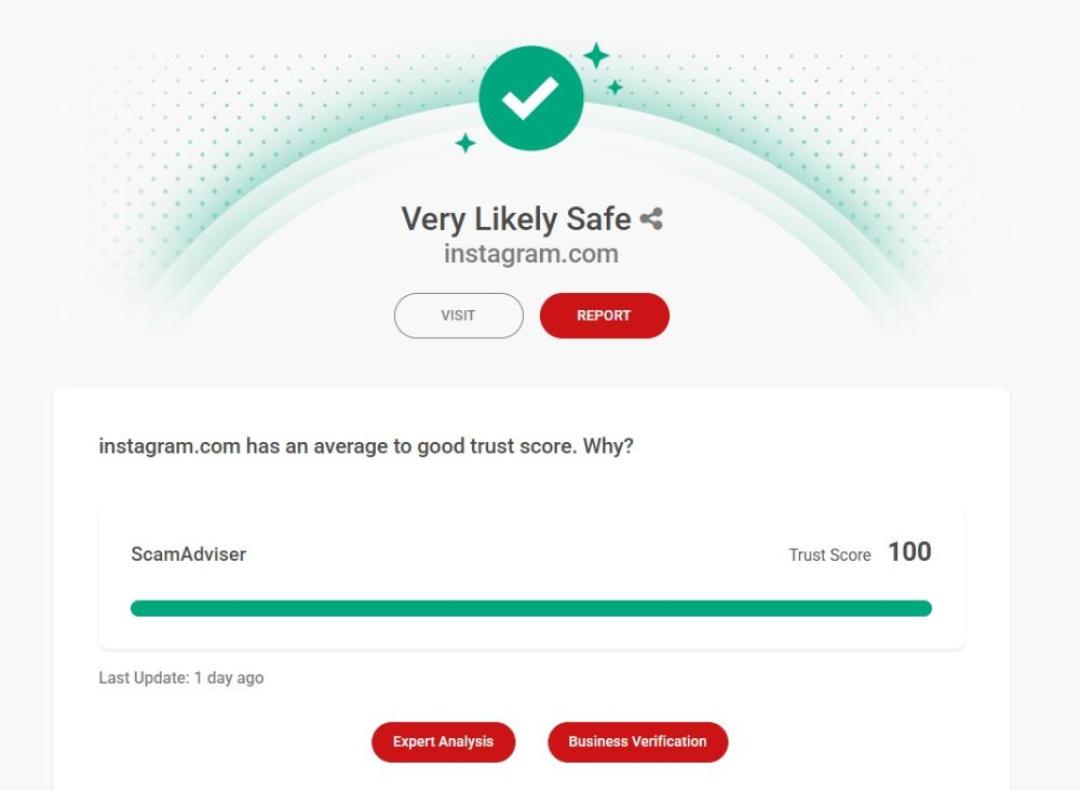
Here, you can see what a trusted website looks like when it is run through Scamadviser (Image Credit: ScamAdviser)
“Recognize potential scams” means Instagram wants you to slow down before you trust a suspicious account or message.
If you see this warning:
Is security@mail.instagram.com Legit?
security@mail.instagram.com can be connected to Instagram emails, but you should not trust an email only because the sender line looks official.
Instagram says users can review official Instagram emails from the last 14 days in Settings. Some Instagram support emails may also come from domains such as @support.instagram.com, @facebookmail.com, and @mail.instagram.com, according to Instagram’s Help Center.
So, open Instagram yourself, go to Settings, and check recent official emails there. Do not click links in unexpected account warning emails.
If you were scammed on Instagram, take these steps:
Report the scam inside Instagram first, then report any related website or payment problem.
Users can report posts, profiles, messages, chats, sellers, and products through Instagram’s reporting tools.
If the scam uses a website, report the site to ScamAdviser as well. ScamAdviser lets users submit scam reports and choose whether the report can be shared with police and commercial crime-fighting agencies.
If you lost money, also report it to your bank or payment provider. In the United States, the FTC recommends reporting fraud through ReportFraud.ftc.gov.
Can Instagram ads be scams?
Yes, Instagram ads can be scams, so check the seller, website, reviews, payment method, and refund policy before you buy.
Why does Instagram say “recognize potential scams”?
Instagram may show scam warnings when it detects suspicious account behavior, risky interactions, or patterns linked to scams.
What should I do if I clicked an Instagram scam link?
Close the page, change your password if you entered login details, enable two-factor authentication, check login activity, and report the account.
Is security@mail.instagram.com legit?
It can be linked to Instagram emails, but you should confirm official messages inside Instagram’s Settings instead of clicking links in unexpected emails.
How can I check if an Instagram shop is fake?
Run the shop’s website through ScamAdviser, then review the Instagram profile, domain name, prices, reviews, contact details, payment options, and refund policy.
Jamie James is an alias of an experienced technology writer whose pieces and reviews appeared in various media outlets, such as CNET, Softonic, gHacks, and more. He has been covering technology news, evergreen guides, and pieces on how to stay safe online for many years.
